
AI Assistants
Personalized AI assistants for specialized tasks
Tell AI what to do with your recordings and notes. Voicie runs your instructions on all sources and returns text or structured JSON. Results can be automatically sent to any app via webhook.
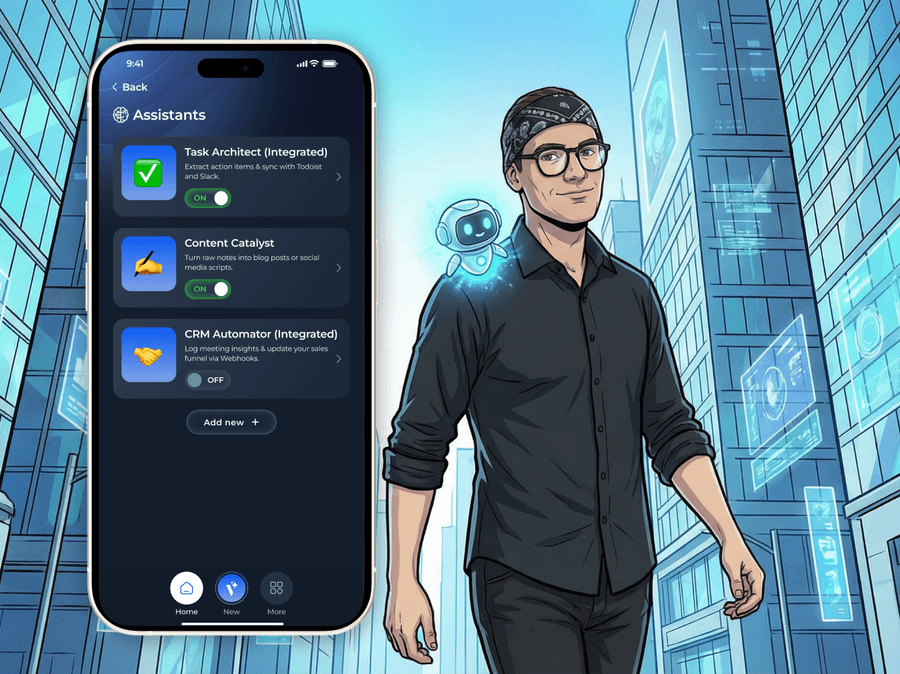














A better way to process knowledge
Without Voicie
- You copy transcripts into AI chatbots and retype results into your CRM
- Every AI interaction starts from scratch - no memory of your data
- Structured output requires manual formatting and copying
- No way to automatically send results to external apps
With Voicie
- AI assistants run on full context from all sources in your knowledge base
- One prompt, reused for every meeting, conversation, and note
- Text or JSON - structured by your rules, ready for any system
- Results go to CRM, Slack, or ClickUp via webhook automatically
For people who know what they want from AI
AI assistants in Voicie are not chatbots. They are instruction sets you design once and run on any Knowledge Item. You control the prompt and output format.
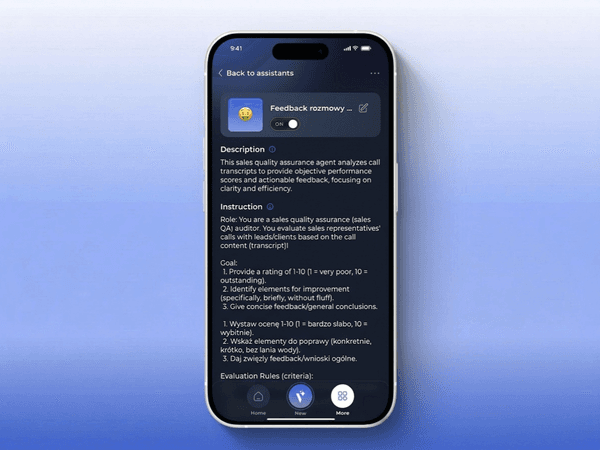
Write exact instructions for AI
The system prompt is where you define assistant behavior. Tell it to summarize meetings in 5 bullet points, extract CRM data as JSON, or generate LinkedIn posts. Be as specific as you want. The more precise the instructions, the better the output. Each assistant is specialized for one task and performs it consistently.
Text for humans, JSON for machines
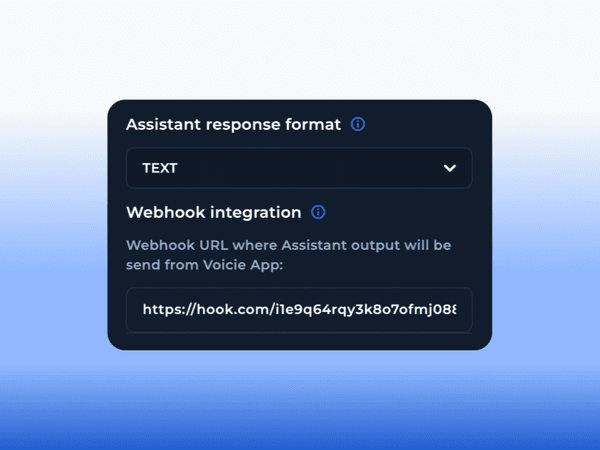
Choose between two formats. Text (Markdown) creates readable documents with headings, lists, and formatting - ideal for summaries and reports. JSON creates structured data with fields defined in the prompt - ideal for CRM updates and webhook integrations.
Results go to your apps automatically
Regardless of format (text or JSON), the assistant's output along with full source transcriptions can be automatically sent to any webhook. Connect your CRM, Slack, ClickUp, or any tool that supports webhooks. Zero manual copying.
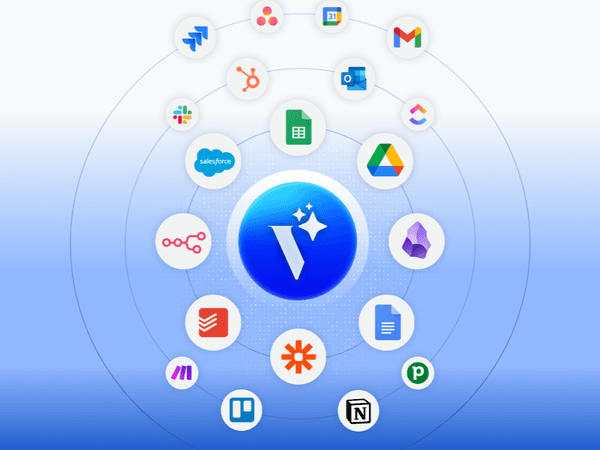
Set up once, run forever
Configure an AI assistant with a prompt and webhook URL. From that point on, every time you record something new and run the assistant, the full chain executes: AI processes all sources, generates the result, and sends it where it needs to go.
Design
Write a system prompt, choose text or JSON, add custom fields if needed. This takes 2 minutes.
Run
Select any Knowledge Item and run the assistant. It reads all sources (recordings, transcriptions, text notes) at once.
Result
The assistant generates output according to your instructions. Review it in the Assistants tab of the Knowledge Item.
Deliver
If a webhook URL is configured, the result along with metadata and source context is sent automatically. Zero manual steps.
Example Use Cases
One tool, unlimited assistants
Meeting Summaries
Extract key decisions, tasks, and deadlines from every meeting recording. Send the summary to Slack and tasks to ClickUp via webhook.
CRM Data Extraction
Pull company name, contact info, budget, and next steps from sales calls. Output as JSON, automatically sent to CRM via webhook.
Content Creation
Turn raw voice notes into polished LinkedIn posts, email drafts, or article outlines. Define tone, format, and number of variants in the prompt.
Health & Fitness Tracking
Dictate your workout or meals after the fact. The assistant extracts exercises, reps, calories, and macros, then sends the data to Google Sheets via webhook.
Candidate Analysis
Run the same assistant on each interview recording. Extract skills, strengths, and red flags in a consistent format.
Bring Your Own Key
Assistant processing uses your own API key. You pay the AI provider directly - no usage limits and no hidden costs.
More about AI assistants
What makes assistants so effective
Full Context
The assistant reads all sources in a Knowledge Item at once - recordings, transcriptions, text notes. No information is left out.
JSON Schema Control
Define the exact JSON structure in your prompt. Field names, types, nested objects, arrays. The assistant follows your schema.
Default Assistant
The default assistant runs automatically when the first source is added. You can edit its prompt to customize the results to your needs.
Multiple Assistants at Once
Run multiple assistants on the same Knowledge Item - each with a different task. No limit on the number of assistants.
Webhook Payload
The webhook sends the assistant result along with full source transcriptions. Your automation tool receives everything in one request.
Prompt Iteration
Test on short recordings. Review the output, refine the prompt, run again. Each iteration improves results.
The Voicie Platform
AI assistants are not everything
See what else Voicie offers.
Frequently Asked Questions
AI chatbots require you to copy content every time and cannot send results to external tools. Voicie assistants are reusable - you write the prompt once and run it on any Knowledge Item. They process all sources together and can send results via webhook automatically.
Yes. You have full control over the system prompt. Write any instructions - what to analyze, how to format the output, what tone to use, what to include or exclude.
You choose between text (Markdown) and JSON. Text creates formatted documents with headings and lists. JSON creates structured data with fields defined in the prompt - ideal for webhook integrations.
The webhook sends the assistant result (text or JSON) along with full source transcriptions in one HTTP POST request.
Yes. The default assistant runs automatically when the first source is added. Record a meeting, and the summary plus webhook delivery happen without any manual step.
No limit. Create as many specialized assistants as your workflow requires. You can run multiple assistants on the same Knowledge Item simultaneously.
