


Home
Pin the item, file or folder you’re working on right now. Everything else waits in the sidebar.
Voicie 2.0 for Mac and Windows
Recordings, meetings, PDFs and links are already in Voicie before you open a chat. Your Codex turns them into files, proposals and emails on your computer. Nothing goes out until you say so.
Interactive demo
01 / 05 · Context
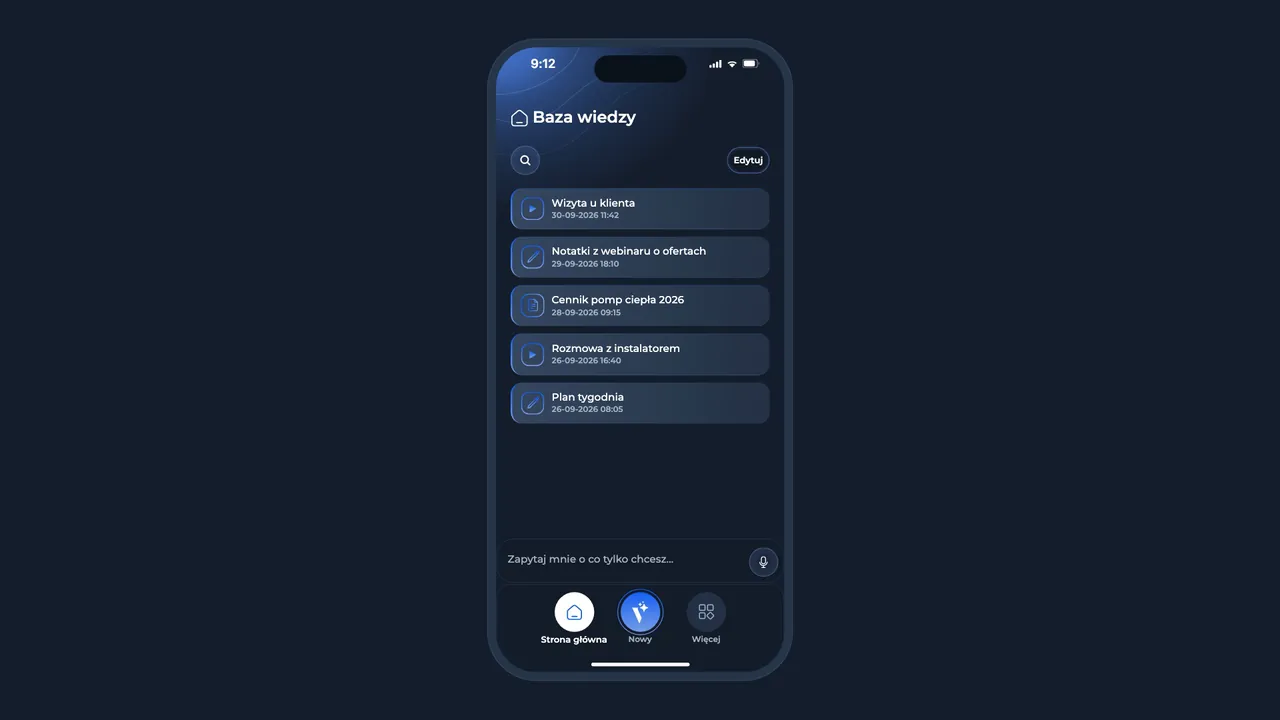
A voice memo on the go, a photo of your notes after a meeting, a PDF or a link someone sent you. Add it to Voicie from your phone or your computer in seconds. Recordings are transcribed right away, and every item gets its own name.
02 / 05 · Topic
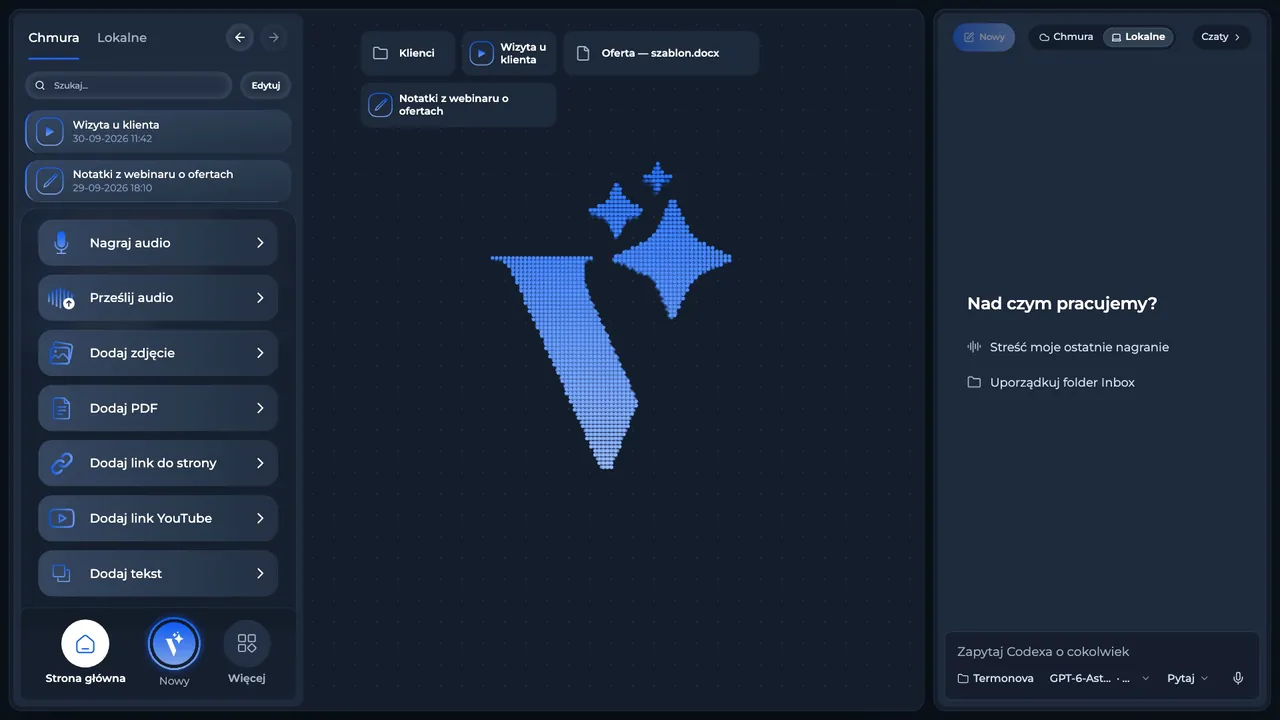
Keep adding material to a topic as it comes in: a meeting recording, a PDF, a web page, a YouTube video or a plain note. Your context grows with the topic, and it all lives in one place, on your phone and your computer.
03 / 05 · Agent
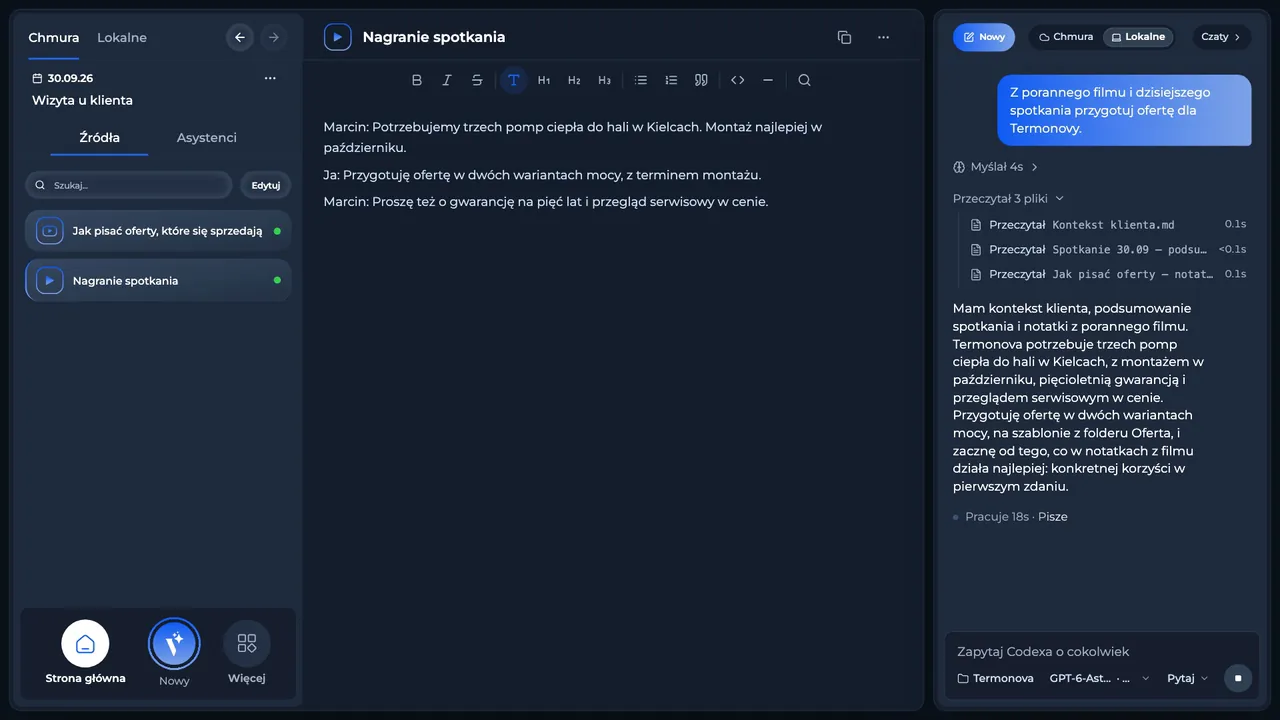
Open Voicie on your computer and work with what you’ve collected. Your agent, signed in with your ChatGPT account, reads material from Voicie Cloud and files from your drive, connects them and turns them into something new: summaries, proposals, documents and project folders.
Local
04 / 05 · Integrations
The agent connects to the apps you use every day and splits the work between sub-agents: one drafts an email, another adds a task to your list. It works with the same integrations you already have in ChatGPT.
Can you send this to the client?
I don’t have access to your email yet. I can connect it in your ChatGPT now and draft the message to the client.
Connecting to Gmail
Working for 12s · Waiting on 2 agents
05 / 05 · In parallel
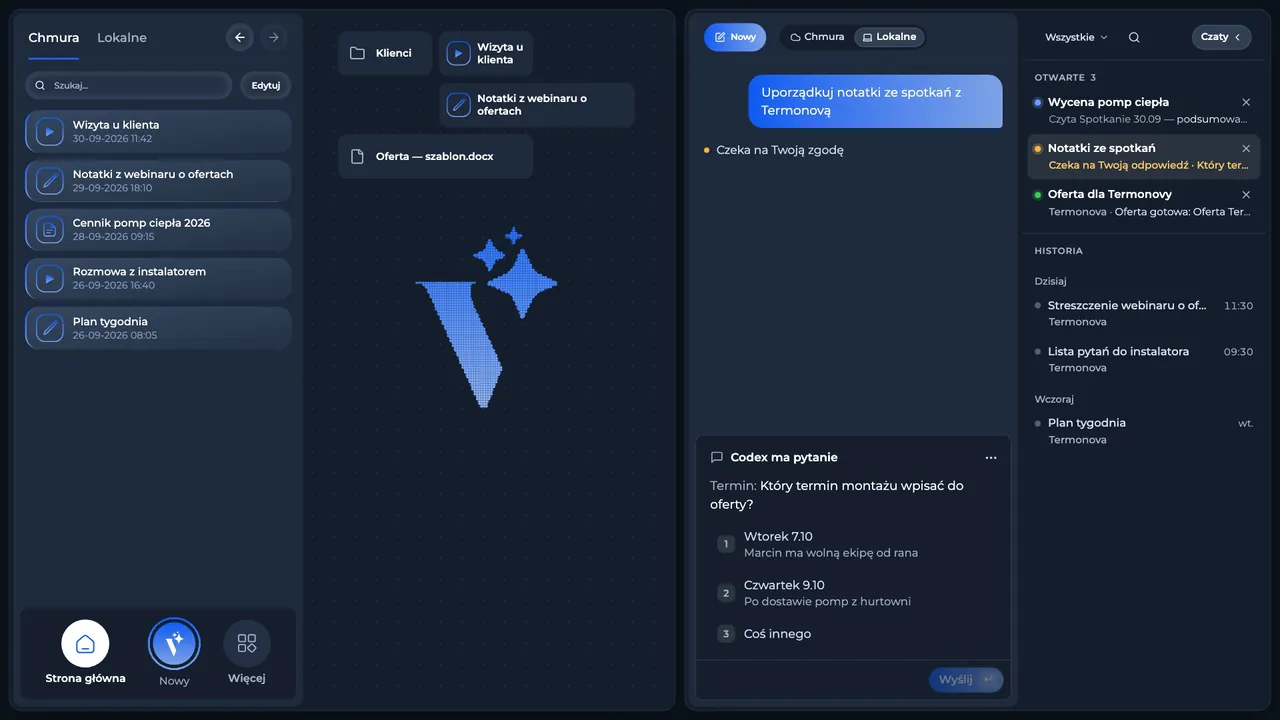
Hand off several tasks at once, each in its own conversation. Colors show where things stand: blue is working, amber is waiting for your decision, green is done. Switch between them and check the results instead of waiting on a single answer.
Done. The email draft is waiting in your Gmail, ready to send.
Can you send this to the client?
I don’t have access to your email yet. I can connect it in your ChatGPT now and draft the message to the client.
Connecting to Gmail
Working for 12s · Waiting on 2 agents
Features
App for Mac and Windows
Pin the item, file or folder you’re working on right now. Everything else waits in the sidebar.
In any app on your computer. Just talk, and the finished text lands wherever your cursor is.
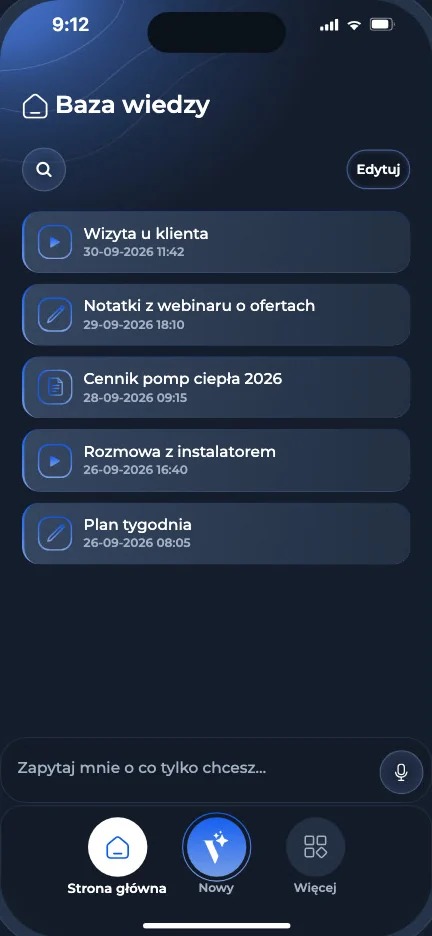


Record in the background, and it lands in the same Cloud you see on your computer.
One tree: items from the Cloud and files from the folder you work in.
Every conversation has its own status. You see at a glance which one is waiting for you.
Several conversations side by side on one board.
A built-in terminal running the agent you already use, right next to your material.

Pick the model for each task, right from the prompt field.
Yearly: 2 months free
Free for 7 days, then billed yearly or monthly.
($150 billed yearly)
Start subscriptionFor teams and companies. Pricing depends on the number of seats and the scope of the rollout.
Custom pricing.
Get in touch| Feature | Free plan | Voicie Pro |
|---|---|---|
| Material, recordings and transcription in the Cloud | Yes | Yes |
| App for Mac and Windows | Yes | Yes |
| Home, plus Cloud and local files in one tree | Yes | Yes |
| Dictation with Cmd+. in any app | Yes | Yes |
| Several conversations at once, each with its own status | Yes | Yes |
| Your Codex on your ChatGPT account | Yes | Yes |
| AI models in your Codex, in Cloud chat and on your material | one model | advanced models |
| Canvas: several conversations side by side | No | Yes |
| Terminal and external agents in your local files | No | Yes |
You pay nothing for the first 7 days. You need a payment method to start. Checkout shows the final price, currency and any tax.
Your subscription renews automatically each year or month, according to your plan. Stripe processes payments.
FAQ
Yes, you need a ChatGPT account. Voicie runs Codex, and you sign in to it with your own account, once, inside the app. How much work you can hand off to the agent depends on your ChatGPT plan limits.
The desktop app runs on macOS and Windows. There’s also a mobile app for iOS and Android that shares the same Cloud.
Recordings and other material go to Voicie Cloud. Files the agent creates are saved to a folder on your computer that you choose. Codex runs on your ChatGPT account and asks before it sends anything out.
Prices on this page are in US dollars. Checkout shows the final price, the currency and any tax before you pay.
Yes. You can download Voicie for free and use it with some limitations.
Wolisz po polsku? Voicie ma polską wersję strony.
Przełącz na polski