
Knowledge base
Your projects deserve more than a single note
A Knowledge Item collects sources of different formats and AI assistant summaries in one place. Add more sources and expand the context that artificial intelligence works with.














A better way to organize knowledge
Without Voicie
- Every recording or note is an isolated element with no connection to context
- You manually paste context into AI from many different files
- Related materials scatter across apps, folders, and threads
- AI sees one document at a time, never the full picture
With Voicie
- All sources for one project in a single Knowledge Item
- AI processes all sources together - full context every time
- Expand a Knowledge Item with new sources at any time
- AI assistant results are saved alongside source materials
What a Knowledge Item looks like
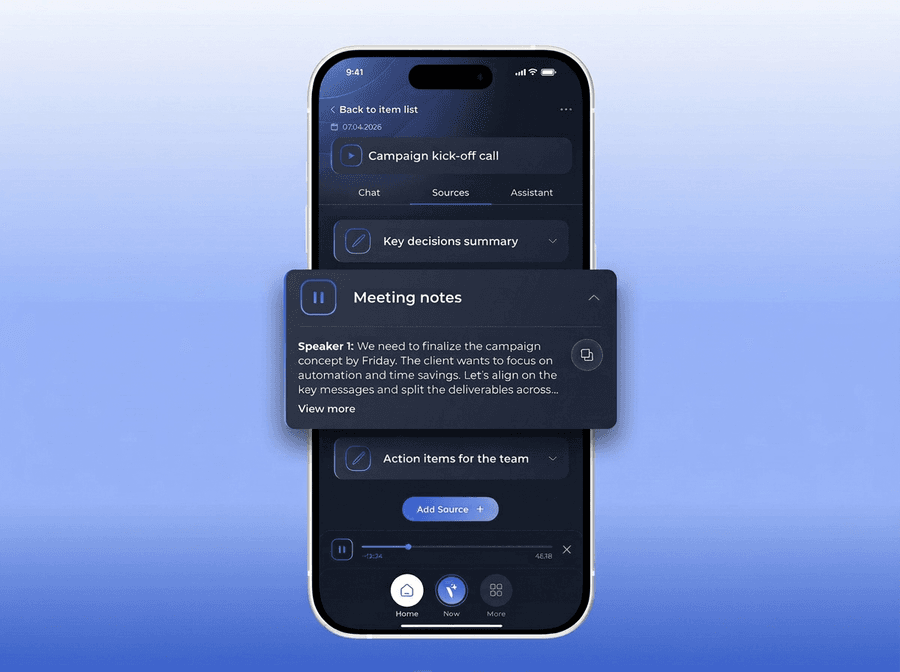
Each Knowledge Item consists of three sections: sources (Source Items), AI chat, and assistants that processed the sources. To create a new item, just add the first source - AI will name it automatically.
One topic, all the context
You add sources to a Knowledge Item - audio recordings, text notes, and soon photos, PDFs, web links, and YouTube. Each new source expands the context that AI assistants and chat work with.
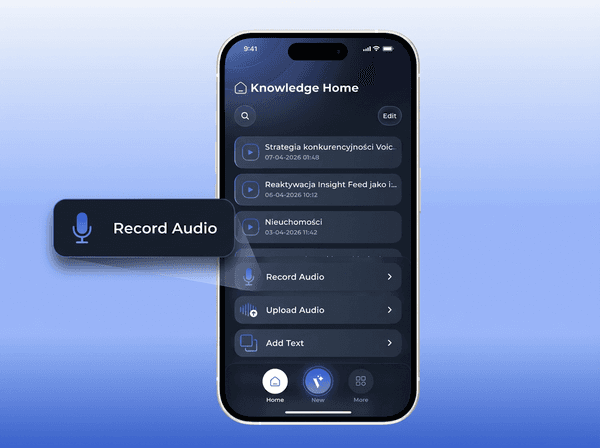
Talk to your sources
Each Knowledge Item has its own AI chat where you ask questions about all sources at once. Answers are based on your data. Chat sessions will be saveable as a source (coming soon), so future conversations and assistants will have access to them.
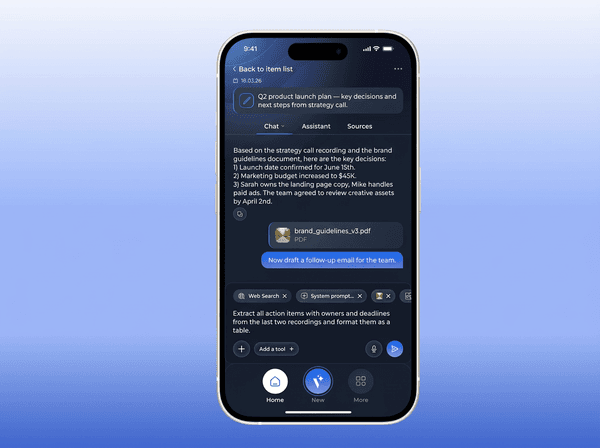
Process sources in different ways
Run AI assistants on a Knowledge Item - each with a different task. The default assistant generates a summary automatically after adding a source. You can edit its prompt or run additional assistants to extract tasks, CRM data, or any other information.

What makes knowledge base in Voicie stand out
The better the context, the more powerful the AI
Enable or disable sources (coming soon)
Control what AI sees. Toggle individual sources in a Knowledge Item. Want to run an assistant on just the last two recordings? Disable the rest.
Multiple source formats
Audio recordings and text notes. Soon also photos (with AI text extraction), PDFs, web links, and YouTube links.
Automatic naming
No need to come up with a name. AI titles the Knowledge Item based on the content of the first source. You can change it at any time.
Default assistant
Every new Knowledge Item can be automatically processed by the default assistant. You can edit its system prompt, disable it, or run additional assistants.
Integration with external apps
AI assistant results can automatically flow to your apps via webhooks - CRM, Slack, ClickUp, Google Sheets, or any other tool.
Search
Find any Knowledge Item by name. The more your knowledge base grows, the more useful search becomes.
Build context that compounds over time
A Knowledge Item is a growing context catalog that becomes more valuable with every source you add.
Add the first source
Record a voice note, add text, or upload a file. Voicie will automatically create a Knowledge Item and name it based on the content.
Expand
Add more sources - voice recordings, text notes, and soon photos, PDFs, and links. Keep adding over days, weeks, or months.
Process
Run AI assistants that see all sources at once. Or ask questions in the AI chat about your collected materials.
Integrate with any app
Assistant results flow to your tools via webhooks - CRM, Slack, ClickUp, or any other app.
Example knowledge base use cases
Knowledge Items in practice
From first conversation to closed deal
Create a Knowledge Item for each client. Record conversations, add meeting notes, and prep materials. Chat with AI and assign it tasks - for example, based on a meeting and a photo of a business card, update the CRM.

From materials to insights
Exploring a topic? Create a Knowledge Item and keep adding to it. Today podcast notes, tomorrow a recorded lecture, next week your own reflections. AI chat will connect the dots and answer questions based on everything you've collected.

More about the knowledge base
Everything you need to organize knowledge
Unlimited sources
Add as many recordings, notes, and AI results as you need. No limit on sources per Knowledge Item.
Editable sources
Fix transcription errors, update text notes, or adjust formatting. Every source in a Knowledge Item is fully editable.
Cross-device sync
Create a Knowledge Item on your phone, add a source on your computer. Everything syncs across devices in real time.
Save chat as source (coming soon)
Save an entire chat session or a single AI response as a source in a Knowledge Item. Future conversations and assistants will have access to that information.
Chat history
Each Knowledge Item keeps its own chat history. Clear a conversation and start fresh. Old chats go to the archive.
Chat always up to date
When starting a chat from a Knowledge Item, it is automatically pinned to the conversation. Add new sources days later? The chat immediately sees the updated context. In chat history you'll find all conversations linked to a given Knowledge Item.
The Voicie Platform
Knowledge base is not all
See what else Voicie offers.
Frequently Asked Questions
A Knowledge Item is a themed catalog in Voicie where you collect everything related to one topic. It consists of three sections: sources (recordings, text, soon photos and PDFs), AI chat, and assistant results. AI assistants and chat work on all sources at once.
A folder just groups files. A Knowledge Item is an active context catalog - AI assistants process all sources together, you can chat with all content at once, and results are saved alongside the original materials.
Just add the first source - a voice recording, text, or uploaded file. Voicie will automatically create a Knowledge Item and name it based on the content. You can change the name at any time.
Audio recordings (recorded in-app or uploaded) and text notes. Soon also photos with AI text extraction, PDF documents, web links, and YouTube links.
Yes. Each source in a Knowledge Item can be enabled or disabled individually. AI assistants and chat only take active sources into account.
It's an AI assistant that runs automatically after adding a source to a Knowledge Item. By default it generates a summary, but you can edit its system prompt and customize it to your needs. It can be disabled but not deleted.
