
Online and offline meeting recording
Record every meeting without disruption
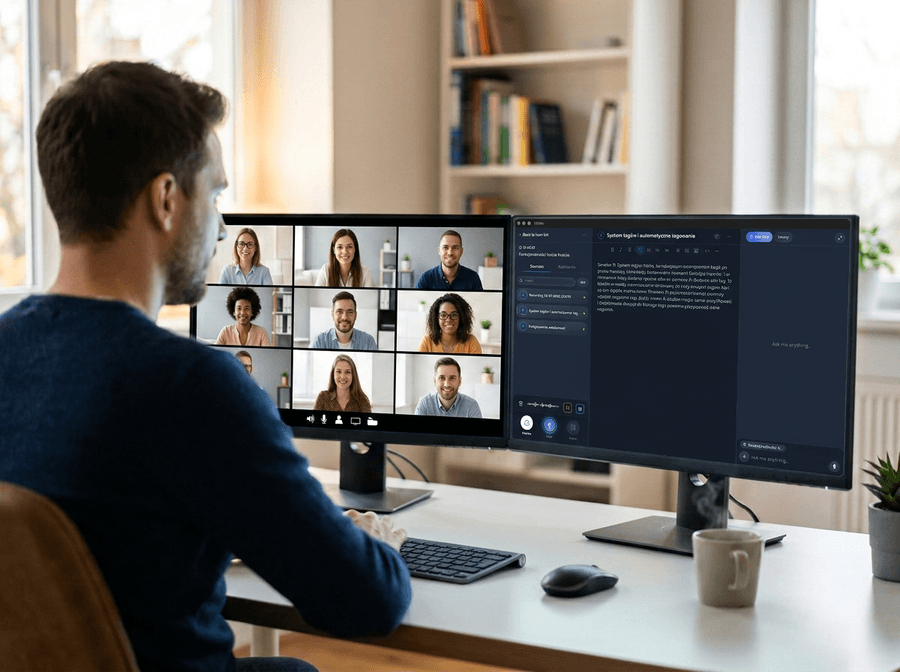
Voicie captures system audio and your microphone directly on your computer. No bot joins the call. Transcription and AI summary happen automatically, and you can integrate the results with any other app when finished.










A better way to record meetings
Without Voicie
- Meeting notes have to be taken manually during the call
- A bot joins the call and everyone sees it - uncomfortable with clients
- Manually copying summaries to other apps like CRM or project tools
- No way to record in-person meetings
With Voicie
- Recording on your computer - no bot, no notifications
- Recordings go into Knowledge Items, which you can later expand with additional materials
- AI summary, tasks, and CRM updates sent automatically via webhook
- Press record at any time. Works with any app, zero setup
No calendar sync. No bot permissions. No notifications whatsoever.
How meeting recording works in Voicie
The Voicie Desktop app captures audio from your computer. It records the meeting participants and your microphone, combining everything into a single transcription.
Record what your computer plays
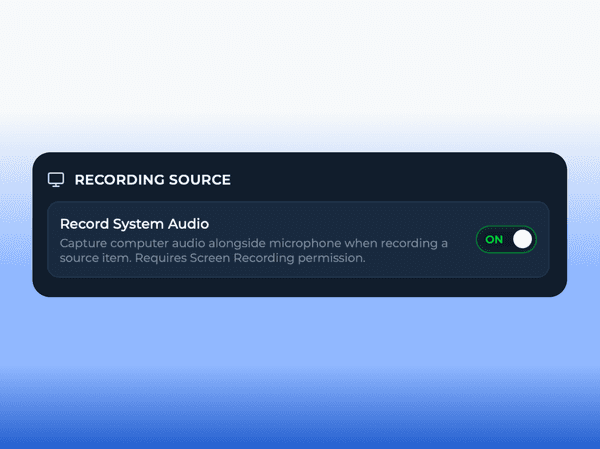
Voicie captures system audio from your computer - Zoom, Google Meet, Teams, or any other app. Grant permission once on first use, then it works automatically. No extensions, no plugins, no browser add-ons.
One recording, many uses
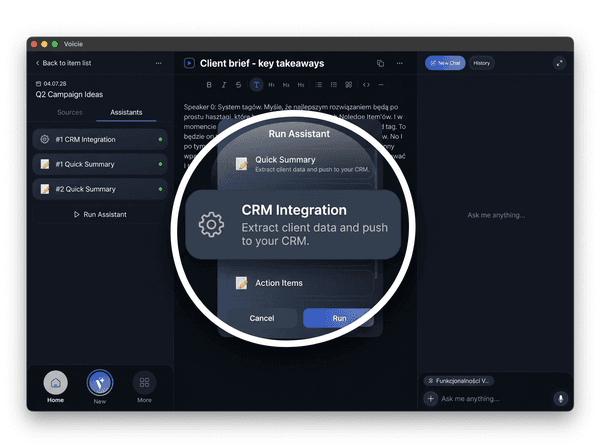
Run different AI assistants, each processing the transcription in its own way - one extracts a task list, another prepares a client summary, a third updates the CRM. Results can automatically flow to your apps via webhook.
A meeting recording is not an isolated file
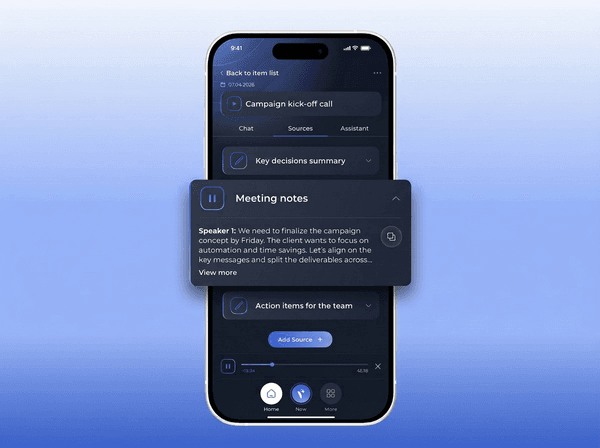
The recording goes into a Knowledge Item - a themed container where you add related materials. Attach the agenda, follow-up notes, client brief, or a previous call recording. When you run an AI assistant, it processes all of this context together.
What makes meeting recording in Voicie different
Built for people who frequently run business meetings
Works with any audio app
Zoom, Google Meet, Teams, Slack Huddles, Discord - if audio plays on your computer, Voicie records it. System-level capture means universal compatibility with no extra integrations.
Zero setup, zero planning
No need to connect a calendar or schedule recording ahead of time. Spontaneous call? Press record. No preparation needed.
Recordings feed your knowledge base
Meeting recordings go into Knowledge Items alongside project specs, notes, and previous calls. AI assistants work with the full context.
One recording triggers an entire chain
Record a meeting. An AI assistant generates a summary, extracts tasks, and formats data. A webhook sends the results to Slack, ClickUp, HubSpot, or any other app. Zero manual steps.
Record in-person meetings too
Not just online calls. Turn on microphone recording during an office meeting, phone call, or conference. Transcription and processing work exactly the same.
Multiple assistants on one recording
Run different AI assistants on the same transcription - one extracts tasks, another prepares a summary email, a third updates the CRM. Each assistant processes the recording in its own way.
From meeting to action
A single meeting recording can update your CRM, assign tasks, and publish a summary - all automatically after the call ends.
Record the meeting
Press record in the Voicie Desktop app. System audio and microphone are captured simultaneously. Recording runs in the background.
Get the full transcript
Cloud transcription processes the recording into searchable text. A one-hour meeting transcribes in one to two minutes.
Extract what matters
Run an AI assistant configured for meeting analysis. It generates a summary, tasks, and decisions based on your Knowledge Item's full context.
Integrate with any app
A webhook automatically distributes assistant results to your apps - Slack, ClickUp, HubSpot, or any other tool.
Example use cases for meeting recording
Meeting recording in practice
From a call to a CRM update in minutes
Record a client call. The AI assistant extracts key information - company name, needs, budget, and next steps. Via webhook, the data lands in your CRM, formatted and ready for further work.

Automatic summary for the whole team
Record a meeting on Zoom, Meet, or in the office. The AI assistant prepares a structured summary with decisions and tasks. A webhook publishes it to Slack or another tool - people who missed the meeting get the full picture.

More about meeting recording
Everything you need for recording meetings
Universal compatibility
Any app that plays audio on your computer works with Voicie. Zoom, Meet, Teams, Discord - no plugins or extensions needed.
Multi-language support
Record meetings in any language. The transcription engine detects the language automatically, even when participants switch mid-call.
File import
Already have a meeting recording? Drag an MP3, WAV, M4A, MP4, or MOV file into Voicie. The app extracts the audio and transcribes it.
Editable transcriptions
Fix names, technical terms, or speaker labels after transcription. The edited text is what AI assistants process.
Audio visualization
Real-time volume levels during recording. Confirm that system audio and microphone are being captured correctly.
Online and in-person meetings
Record video calls via system audio or in-person meetings via microphone. The same transcription and AI processing workflow applies.
The Voicie Platform
Meeting notes are just the starting point
See what else Voicie offers.
Frequently Asked Questions
No. Voicie captures system audio directly on your computer. No bot joins the call and no notification appears for other participants.
Any app that plays audio on your computer - Zoom, Google Meet, Microsoft Teams, Slack Huddles, Discord, and more. Voicie captures audio at the system level, so it does not need integrations or plugins.
Yes. In addition to online meetings, Voicie can record audio from the microphone. Turn on recording during an office meeting, phone call, or conference. Transcription and AI assistant processing work exactly the same.
The recording goes into a Knowledge Item, where it is automatically transcribed. From there, you can run an AI assistant to prepare a summary, extract tasks, or format data. Results can automatically flow to your apps via webhook.
Yes. You can run multiple AI assistants on the same transcription - each configured for a different task. One extracts a task list, another prepares a client summary, a third updates the CRM. Each assistant can send results to a different app via webhook.
Transcriptions are powered by OpenAI Whisper models (over 99 languages) and DeepGram Nova 3 (over 49 languages). The engine detects the language automatically, even when participants switch mid-call.
