
Voice typing tool
Type on your computer with voice, 100% locally
Press one button and speak - the transcription auto-pastes at your cursor and is copied to the clipboard. Works in any app on your computer. No cloud sharing, and free thanks to local AI models running on your machine.
A better way to dictate
Without Voicie
- Typing on a keyboard takes many times longer than speaking
- Long emails, notes, and documents require hours at the keyboard
- Cloud dictation sends every word to external servers
- Monthly subscriptions or per-minute usage fees
With Voicie
- Audio and transcription never leave your computer
- Zero cost - available in the free version of Voicie
- 1 hour of speech transcribed in under 30 seconds on Apple Silicon devices
- Auto-paste at cursor position - no copying and pasting
Press, speak, done
Voice typing changes how you interact with computers, saving your time and boosting productivity.
Press the keyboard shortcut
Use the keyboard shortcut, no matter which app you are currently working in. A small recording indicator appears on screen.
Speak
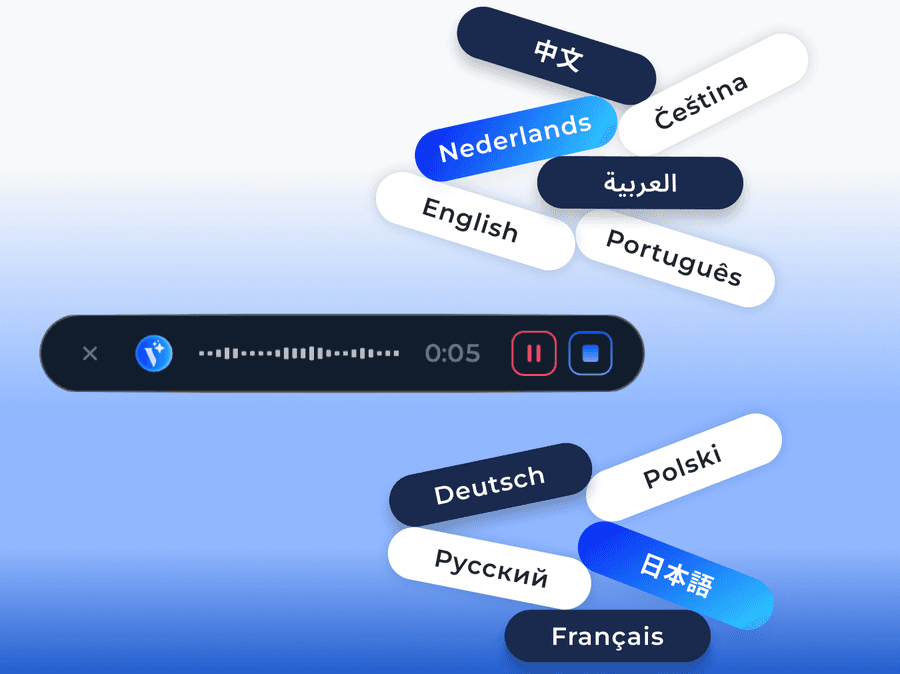
Say what you want to type. A sound wave appears on the app element, indicating that recording is active. You can dictate for as long as several dozen minutes.
Transcription paste
Press the keyboard shortcut again - the recording is transcribed, copied to the clipboard, and automatically pasted where you placed your cursor.
What makes voice typing in Voicie different
Built for speed, privacy, and zero cost
Blazing fast transcription
1 hour of speech in under 30 seconds. 7 minutes in 2 seconds. Local AI models optimized for Apple Silicon processors.
Free forever
No API keys, no subscriptions, no per-minute fees. AI models run on your hardware.
Private by design
Audio never leaves your computer. No cloud processing, no data collection, no third-party access. Works fully offline, even in airplane mode.
Works in every app
Just press the keyboard shortcut and start dictating - the transcription appears in any app and in the clipboard, ready to paste.
Works on macOS and Windows
Voice typing is available on macOS and Windows computers. Use the same functionality regardless of your platform.
Transcription history
Every dictation is saved locally. Browse, search, reprocess with different models, or delete in bulk. History stays on your computer.
The Voicie Platform
Voice typing is not all
See what else Voicie offers.
Frequently Asked Questions
Yes. The entire transcription runs locally on your computer using downloaded AI models. No internet connection is required. You download the models once and they work offline from that point.
Yes. On macOS with Apple Silicon processors, a model optimized for the Neural Engine is used, providing the fastest transcription. On Windows, a different AI model is used that also supports local voice typing.
Yes, completely free. No API costs, no subscriptions, no usage limits. Transcription runs on your own hardware with local AI models.
Voicie uses local speech recognition models optimized for each platform. Accuracy is comparable to cloud services for most languages - with zero latency and full privacy.
Local AI models support multiple languages with automatic language detection. You can dictate in any supported language - the transcription adapts automatically.
Built-in system dictation usually sends audio to external servers. Voicie works fully locally with higher-quality models, adds auto-paste at cursor, stores a searchable history, and gives you a keyboard shortcut that works identically in every app.
