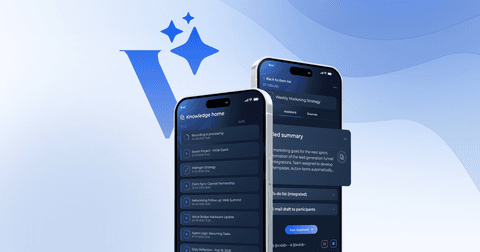
What Can Voicie Do? The best AI notetaker feature overview
Voicie is an AI voice notes app that offers transcription, a knowledge base, configurable AI assistants, chat and webhook integrations with tools like CRM, ClickUp or Google Sheets. Everything starts with a voice recording and ends with a concrete action. But what does that actually mean in practice? Below - all the main features, from recording to automations.
How Does Recording and Transcription Work in Voicie?
The foundation of Voicie. You speak — AI turns it into text. Recording operates differently across platforms.
On mobile devices, tapping initiates recording with cloud-based transcription completing within seconds. The offline capability allows recording without connectivity, with automatic transcription upon reconnection.
MacBook users access two options: Clipboard Transcription activates via keyboard shortcut, pasting transcribed text at the cursor location using local processing. A single hour of speech converts to text in under 30 seconds. Alternatively, recording to the knowledge base enables system audio capture from video conferencing tools, with cloud transcription. Read more about Voicie Desktop for macOS.
Desktop users can locally transcribe existing audio and video files in MP3, WAV, MP4, and MOV formats.
What Are Knowledge Items?
Knowledge Items function as intelligent, thematic containers organizing topic-related materials. Users establish items like “Meeting with Client ABC” and incorporate:
- Call recordings
- Text notes
This is the fundamental difference from traditional voice recorders, where one recording = one isolated note.
What Does This Look Like in Practice?
A typical sales meeting workflow includes:
- Recording the meeting — conversation transforms into text
- Adding materials — presentations and prep notes integrate into the Knowledge Item
- Running an assistant — processes all sources generating summaries, needs lists, next steps, and JSON contact data
- CRM integration — webhooks automatically transmit results to HubSpot without manual entry
Sources — Source Items
Sources represent individual Knowledge Item elements:
- Audio recording — captured within app or uploaded files
- Text — manually typed, pasted, or AI-generated
Additional format support for PDFs, photos, text files, YouTube links, and web pages is in development.
You can add any number of sources to a single Knowledge Item.
How Do AI Assistants Work in Voicie?
Assistants are customizable AI profiles processing content per user specifications. Creation involves defining behavior through system prompts, then execution on selected Knowledge Items analyzing all sources for output generation. See how to create your own AI assistant for a step-by-step guide.
Examples include:
- “Meeting Summary” extracts key agreements and task lists
- “Sales Call Analysis” identifies client needs and generates CRM data
- “Content Creator” transforms notes into social media variants
- “Health Coach” analyzes workout recordings sending data to spreadsheets
Assistants can generate text or data in JSON format — which opens the door to automation via webhooks.
AI Chat
Voicie includes built-in AI chat functioning unlike ChatGPT — it can work in the context of your knowledge base.
Pinning Knowledge Items grants AI access to all sources. Additional capabilities include:
- File and image attachment
- Web search activation
- Voice message dictation
- Conversation history browsing
Integrations with External Tools
Thanks to built-in webhook integrations, assistant outputs can automatically flow to numerous platforms:
- CRMs — HubSpot, Pipedrive
- Project management — ClickUp, Notion, Asana
- Spreadsheets — Google Sheets
- Messaging — Slack, email
- Automation platforms — n8n, Make
Webhooks transmit JSON-formatted data to any HTTP POST-accepting tool. With a single voice recording you can update your CRM, create a task in ClickUp and send a summary to Slack.
Offline Mode
Mobile app feature enabling recording without internet access. Recordings are saved locally and automatically transcribed when you regain connection.
Privacy and Data Control
Desktop features like Clipboard Transcription operate locally, keeping recordings on-device during processing. Materials added to knowledge bases process in cloud with cross-app synchronization. Users connecting personal API keys pay directly to providers without subscription fees.
Who Is Voicie For?
Voicie serves users who:
- Create content — dictate instead of typing
- Have frequent conversations — sales, recruitment, meetings
- Pursue effective learning — capture podcast and course insights
- Manage projects — document decisions and delegate
- Value time savings — replace manual documentation with dictation
Can one person use Voicie to replace a team?
The combination of recording, AI, assistants and integrations means a single person with Voicie can operate like an entire team. A single voice recording initiates content creation, conversation analysis, document generation, and CRM updates automatically.
Frequently asked questions
What file formats does Voicie support?
Knowledge base sources currently support audio recordings and text. Desktop app local transcription handles MP3, WAV, MP4, and MOV files. PDF documents, photos, text files, YouTube links, and web pages are under development.
Does Voicie integrate with HubSpot?
Yes. Voicie connects to HubSpot, Pipedrive, ClickUp, Notion, Google Sheets, Slack, and any other tool that accepts webhooks. AI assistants generate structured JSON automatically flowing to CRM systems without manual entry.
What is a Knowledge Item?
A Knowledge Item is a themed container in Voicie where you collect everything related to one topic — recordings, notes, documents, links.

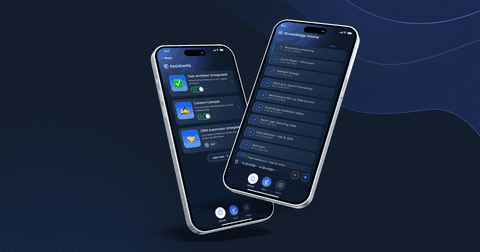
Voicie Mobile - The Best AI Voice Recorder - chat, offline mode & full feature set
About Voicie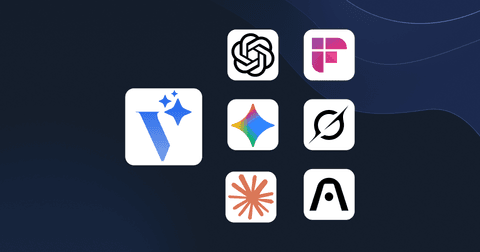
Voicie vs. ChatGPT, Gemini, Claude, Grok, NotebookLM, Fireflies and Plaud -- what makes us different
About Voicie