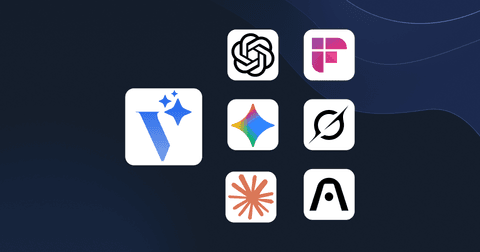
Voicie vs. ChatGPT, Gemini, Claude, Grok, NotebookLM, Fireflies and Plaud -- what makes us different
Voicie is an AI voice assistant for knowledge management that combines transcription, a knowledge base, configurable AI assistants and webhook integrations. How does it compare to ChatGPT, NotebookLM, Fireflies and Otter? Below is a detailed comparison with tables.
There’s no shortage of AI tools on the market. Chatbots, transcription apps, meeting assistants — you have dozens of options. The question is: why another one?
The answer is simple: none of these tools combine everything that Voicie does. Each one solves only a piece of the problem. Voicie closes the loop — from recording, through AI, to integration with your tools. But don’t take our word for it. Let’s compare.
Voicie vs. ChatGPT / Gemini / Claude / Grok
ChatGPT, Gemini, Claude and Grok are powerful tools. They give great answers, understand context, generate content. But they have a fundamental problem: they don’t remember.
You open a new conversation — the AI starts from scratch. You have to paste context every single time: “Here’s the transcript from my meeting, here are the project notes, here’s the contract template.” Copy, paste. Over and over. You lose precious hours preparing context instead of doing actual work.
Yes, ChatGPT has “memory” — but it’s a small buffer that remembers fragments. It’s not a knowledge base. You don’t have your projects, recordings or documents there. You can’t run an assistant that processes 10 sources simultaneously.
| ChatGPT / Gemini / Claude / Grok | Voicie | |
|---|---|---|
| Memory | Short-term, limited to session | Full — Knowledge Items with sources always available |
| Context | Manually pasted in every conversation | Built once, used many times |
| Recording | Optional voice mode | Voice-first — recording is the primary interface |
| Integrations | Limited | Webhooks to CRM, ClickUp, Notion, Slack and more |
| Organization | None — chaotic list of conversations | Themed knowledge items with multiple sources |
ChatGPT works well for one-off queries. Voicie — for systematically building and leveraging knowledge.
Voicie vs. NotebookLM
NotebookLM from Google is an interesting tool — you upload sources, then query them through AI. Sounds like Voicie? At first glance, yes. But the differences are fundamental.
Sources. In NotebookLM you can add sources, but there’s no built-in voice recording or dynamic context building. You can’t record notes on the go and add them to a project with one click. In Voicie a knowledge item is alive — you add new sources, recordings and thoughts to it every day. You also can’t edit sources in NotebookLM — once added, they remain unchanged.
No recording. NotebookLM doesn’t have built-in recording. You have to record something in another app and then upload it manually. In Voicie you record directly in the app — on your phone with one tap, on your MacBook with one keyboard shortcut (more about the desktop app in Voicie on macOS).
No integrations. Whatever you generate in NotebookLM stays in NotebookLM. You can’t automatically send a summary to Slack, data to your CRM or tasks to ClickUp. You have to copy everything manually. In Voicie a webhook does it for you.
No personalized assistants. In NotebookLM you can’t create your own assistant with custom instructions. In Voicie you create assistants tailored to your needs — with a precise system prompt, response format and connection to automation.
| NotebookLM | Voicie | |
|---|---|---|
| Sources | Can add, but no recording or editing | Dynamic — record and add on the go |
| Recording | None | Built-in — phone and desktop |
| Integrations | None | Webhooks + n8n/Make |
| AI personalization | No custom assistants | Full configuration: prompt, format, integrations |
| Mobility | Browser + mobile app (since 2025) | Native mobile app + desktop |
In 2025 NotebookLM released a mobile app, which is a step in the right direction. But the mobile app alone doesn’t solve the main limitations — it still doesn’t record directly, has no integrations with external tools and doesn’t let you create custom AI assistants with custom prompts.
NotebookLM is a digital notebook for querying documents. Voicie is a system for continuously building, processing and distributing knowledge.
Voicie vs. Fireflies / Otter / TLDR / Plaud
Fireflies, Otter.ai, TLDR, Plaud — meeting recording and transcription tools. You record a conversation, get a transcription with an AI summary. And… that’s it.
And here’s the key difference: in these tools one recording = one isolated note. You can’t add extra materials to it. You can’t attach a photo, a PDF, a link or a second recording from a follow-up. You can’t build context around a single topic.
In Voicie one recording creates a knowledge item — a folder where you can add more sources. Had a conversation with a client? Add follow-up notes. Attach email correspondence. Upload the project specification. Then run an assistant that creates a proposal, summary or email based on all of it.
The second difference: Fireflies and Otter have basic integrations and AI chat, but don’t offer configurable assistants with custom prompts or function calling in chat. In Voicie you create assistants tailored to your needs, and a webhook automatically sends the output to any external system.
| Fireflies / Otter / TLDR / Plaud | Voicie | |
|---|---|---|
| 1 recording = | 1 isolated note | A knowledge item to which you add more sources |
| Additional materials | None | Recordings, texts |
| AI assistants | Built-in summary, no customization | Fully configurable assistants with custom prompts |
| AI chat | Basic, no function calling | Chat with knowledge base context |
| Integrations | Basic | Webhooks to any system |
| Clipboard Transcription | None | Local transcription with one keyboard shortcut |
| Capture beyond meetings | No — it’s a meeting tool | Yes — ideas, notes, materials from daily work |
Fireflies and Otter record meetings. Voicie builds knowledge from those recordings — and lets you keep working with it.
What about Notion AI, Mem, and Granola?
The English-language market has additional competitors worth addressing.
Notion AI adds AI features to an existing note-taking workspace. It’s powerful for querying documents you’ve already written, but it doesn’t record audio, doesn’t transcribe, and doesn’t have configurable AI assistants with webhook outputs. If you already use Notion for project management, Voicie complements it — your assistant’s output can flow to Notion via webhook.
Mem.ai positions itself as an “AI second brain” — similar territory to Voicie. The difference: Mem focuses on text notes with AI search. Voicie is voice-first, with built-in recording, transcription, and automation via webhooks. If your workflow starts with speaking rather than typing, Voicie is the better fit.
Granola is an AI meeting notes tool that auto-captures context from your calendar and meetings. Like Fireflies and Otter, it focuses on meetings only. Voicie captures meetings too, but also ideas, daily notes, content drafts, and any other voice-driven workflow — all feeding into a unified knowledge base.
| Notion AI | Mem.ai | Granola | Voicie | |
|---|---|---|---|---|
| Voice recording | No | No | No (text from meetings) | Yes — phone and desktop |
| Transcription | No | No | Meeting audio only | Full — microphone, system audio, file upload |
| Knowledge base | Yes (pages) | Yes (notes) | No | Yes — Knowledge Items with multiple sources |
| Custom AI assistants | No | No | No | Yes — configurable prompts, formats, webhooks |
| Webhook integrations | No | No | Limited | Yes — any system via HTTP POST |
| Offline recording | No | No | No | Yes — mobile offline mode |
What sets Voicie apart from the competition?
It’s not that Voicie does one thing better. It’s that it connects elements that are separated in other tools:
1. Building context, not one-off notes. In Voicie you don’t create isolated notes. You build themed knowledge bases that grow with every recording, document and link.
2. AI that works on your context. AI assistants process all sources within a knowledge item. You don’t need to paste context — it’s already there.
3. From recording to action in one step. You record -> the assistant processes -> a webhook sends data to your CRM, ClickUp, Slack. Zero manual steps in between.
4. Voice-first. Most operations can be done by voice. On your phone, on your MacBook, and in the future — through the Voicie Bridge device.
Which tool should you choose?
For one-off questions — ChatGPT is enough. For meeting transcriptions — Otter gets the job done. For querying static documents — NotebookLM is fine.
But none of these tools will let you record a client conversation, add the project specification and email correspondence to it, run an assistant that creates a proposal, and then send the data to your CRM and a summary to Slack via webhook. That’s what Voicie does. And it does it all in one place.
Frequently asked questions
Can Voicie replace ChatGPT?
Yes — Voicie uses the same OpenAI model, has a built-in web search and AI chat. For everyday querying, content generation and working with context, Voicie works just as well. It doesn’t have features like Deep Research or image generation — but for most tasks it’s a full alternative with the added benefit of a knowledge base and automations.
What languages does Voicie support?
Voicie works in many languages and can transcribe in all major world languages. The mobile and desktop apps support English, Polish and many others.
What is an alternative to Fireflies?
Voicie. Unlike Fireflies, Voicie lets you build a knowledge base from multiple sources (not just meetings), configure your own AI assistants and automate data flow through webhooks. The app works on both mobile and macOS.
Is Voicie a good alternative to NotebookLM?
Yes. Voicie offers everything NotebookLM does (uploading sources, querying them with AI) plus built-in voice recording, dynamic Knowledge Items that grow over time, configurable AI assistants with custom prompts, and webhook integrations with external tools. NotebookLM is a static document reader; Voicie is a dynamic knowledge management system.
What is the best Otter.ai alternative?
Voicie. Unlike Otter.ai, which focuses on meeting transcription, Voicie lets you build a knowledge base from multiple sources, run custom AI assistants on your data, and automate outputs to CRM, Slack, or project management tools via webhooks. It also works offline and offers local transcription on macOS.