Claude Code Channels
Control Claude Code directly from your phone
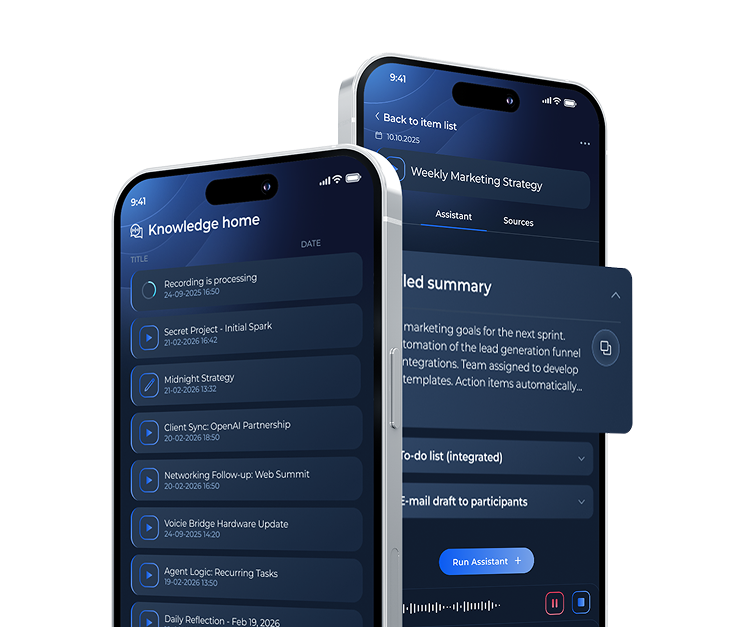
Send a task from your phone, and Claude Code on your computer executes it - with full terminal access, file editing, and your knowledge base as context. Built on the open MCP standard. Open source.

A better way to work with Claude Code
Without Voicie
- Claude Code only works when you are sitting at your computer
- Ideas on the go get lost - you cannot act until you are back at your desk
- No way to send knowledge base context to a Claude Code session
- Switching between phone notes and terminal means constant copy-pasting
With Voicie
- Send tasks to Claude Code from your phone, tablet, or browser
- Voicie knowledge base automatically attached as context via MCP
- Claude Code processes your request with full terminal and file access
- Responses sync across all your devices
How the integration with Claude Code works
Voicie connects to Claude Code through MCP (Model Context Protocol) - an open standard for integrating AI tools. Messages sent in Voicie are enriched with your knowledge base and delivered to a running Claude Code session.
Clone, configure, run
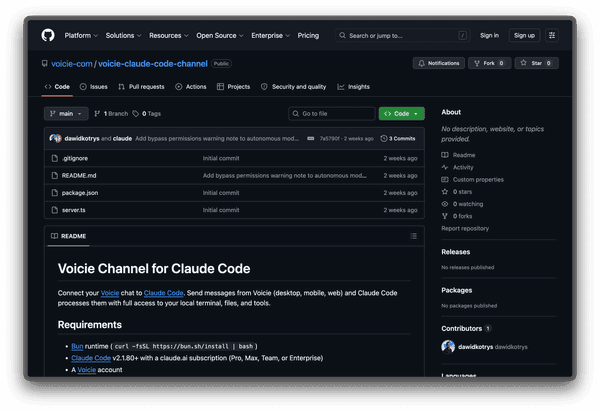
Clone the repository from GitHub, add your Voicie credentials, and register the MCP server in your Claude Code config. Or just paste the repo link in Claude Code and let it install itself.
Claude Code reads your recordings and notes
Pin a knowledge base item to your conversation, and Claude Code gets all the sources - transcriptions, notes, documents. You can also attach items during the conversation along with photos, PDFs, and files.
Supervised or autonomous - your choice
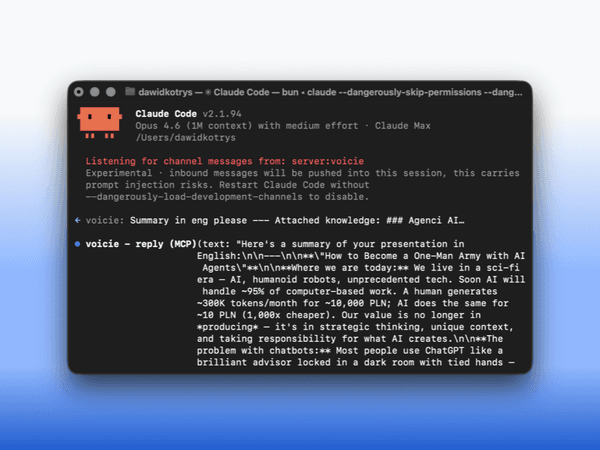
When at your computer, approve every Claude Code action. When away from your desk, enable autonomous mode - send a task from your phone on the train, and the results will be ready when you sit down at your computer.

From your phone to the terminal
Send a task from any device, and Claude Code executes it on your computer.
Send a task
Type or dictate a message in Voicie from your phone, tablet, or browser. Attach knowledge base items or files as context.
Context enrichment
The MCP server automatically attaches pinned sources from your knowledge base and resolves file attachments.
Claude Code works
Claude Code receives the enriched message and works with full access - reads files, runs commands, edits code.
Response
The response appears in Voicie chat on every device - phone, computer, and browser.
What makes Claude Code Channels stand out
Your phone as a remote for Claude Code sessions
Full terminal access
Claude Code does not just chat. It reads your files, runs commands, edits code, and uses MCP tools. Your phone becomes a remote control.
Message attachments
Attach photos, PDFs, or files to your messages. Send a screenshot from your phone, get a code fix on your computer.
Dictate tasks by voice
Dictate a task on your phone while walking. The transcription is sent as a message to Claude Code, which executes the command.
Open source
The MCP server is open source on GitHub. Read the source code. MIT license.
MCP standard
Built on Model Context Protocol - an open standard for connecting AI tools. The same protocol that powers Claude Code's native tool ecosystem.
Responses on every device
Claude Code saves responses that instantly appear in Voicie chat - on your phone, computer, and in the browser.
More about Claude Code Channels
Remote work with Claude Code
5-minute setup
Clone the repo, add your credentials, and register the MCP server. Or let Claude Code install itself.
Smart Sync
Pinned knowledge base sources load on the first message. Subsequent messages check for changes - unchanged items do not consume context window space.
Session commands
Send /reset or /clear to wipe Claude Code's context while keeping the connection alive.
Security
The MCP server runs locally on your computer and authenticates with your credentials. Your codebase and files never leave your machine.
The Voicie Platform
Claude Code Channels are not all
See what else Voicie offers.
Frequently Asked Questions
A paid Voicie account, a working Claude Code installation on your computer, and a Bun runtime environment. Clone the repository from GitHub, configure your credentials, and launch Claude Code with the channel flag. Setup takes about 5 minutes.
No. Claude Code runs locally on your computer. Only chat messages pass through the server - what you type in Voicie and what Claude Code replies. Your codebase and files stay on your computer.
MCP is an open standard created by Anthropic for connecting AI models with external tools and data sources. Claude Code uses MCP natively. Voicie's channel server uses the same protocol to deliver messages from your Voicie chat to Claude Code.
Yes. The connection only works when your computer is on and the Claude Code session is active. Your computer can be locked, but it must be powered on. If the computer is off or the Claude Code session is closed, messages will not be processed.
Yes. Pin any knowledge base item to your Claude Code conversation. All sources - recordings, transcriptions, notes - are attached as context to every message. You can also attach items during the conversation.
Yes. The MCP server is open source on GitHub under the MIT license.