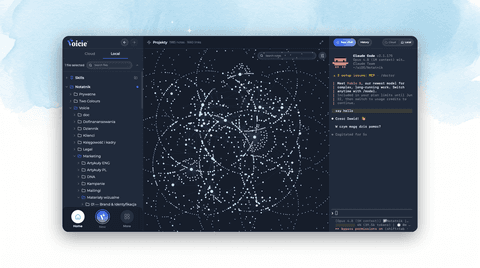
Knowledge graph in Voicie: build a second brain with an AI agent
Voicie Desktop 1.6.5 adds a knowledge graph - linked notes you build into a second brain together with an AI agent. Plus a file search, link protection and HTML preview.
Today we shipped Voicie Desktop 1.6.5. For the first time you can see on screen what Voicie was actually built for: that your notes and context aren’t a stack of separate files, but a connected network.
What is the knowledge graph in Voicie?
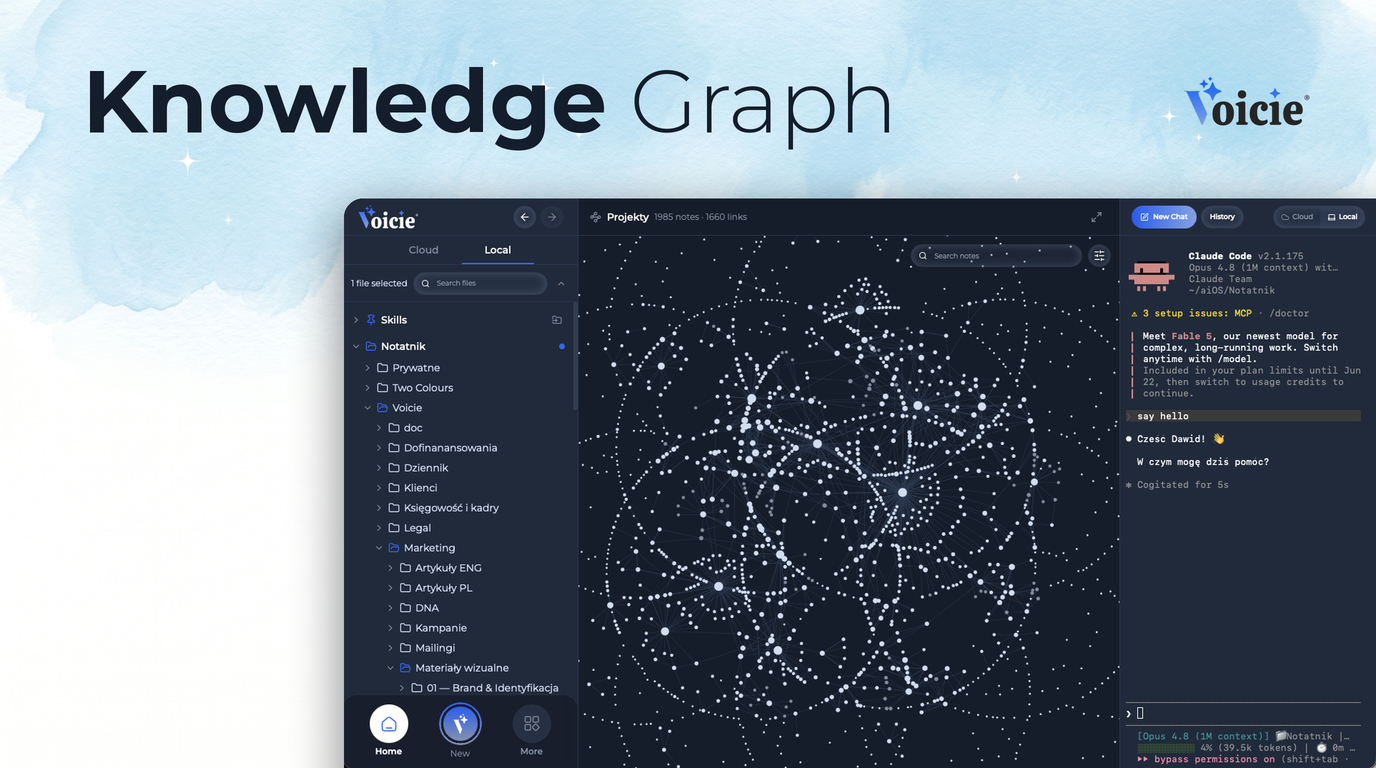
The graph is a view of every connection between your notes. Each dot is a file (a note or an attachment, like a PDF or an image), and each line between dots is a link - the moment when one note mentions another file.
Folders don’t show up here at all. And that’s the whole point: the graph doesn’t show how you arranged files into directories, it shows how the agent connects your thoughts.
Because you don’t build this network alone. You build it together with an AI agent - you feed it context (a meeting transcript, an idea, a recorded note, any document) and it catalogs, documents and summarizes it. It creates files that index and summarize a given topic and ties them together with two-way links. That makes your own information easier to search, and the agent moves through your context base like it’s reading a map.
How to open the graph
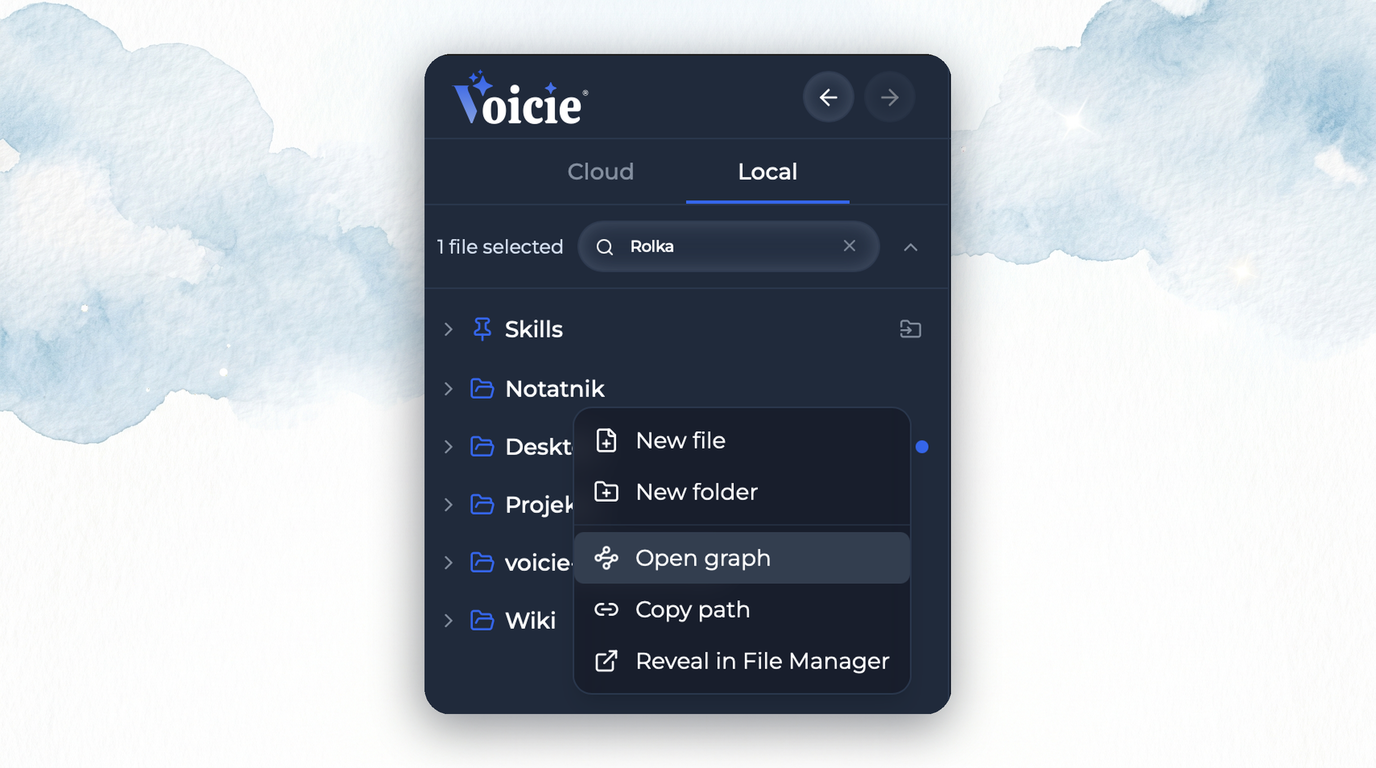
Right-click any note and pick “Open graph” (the camera zooms straight to that file), or do the same on one of the main folders you authorize in Settings → Local AI.
What you get in the graph
-
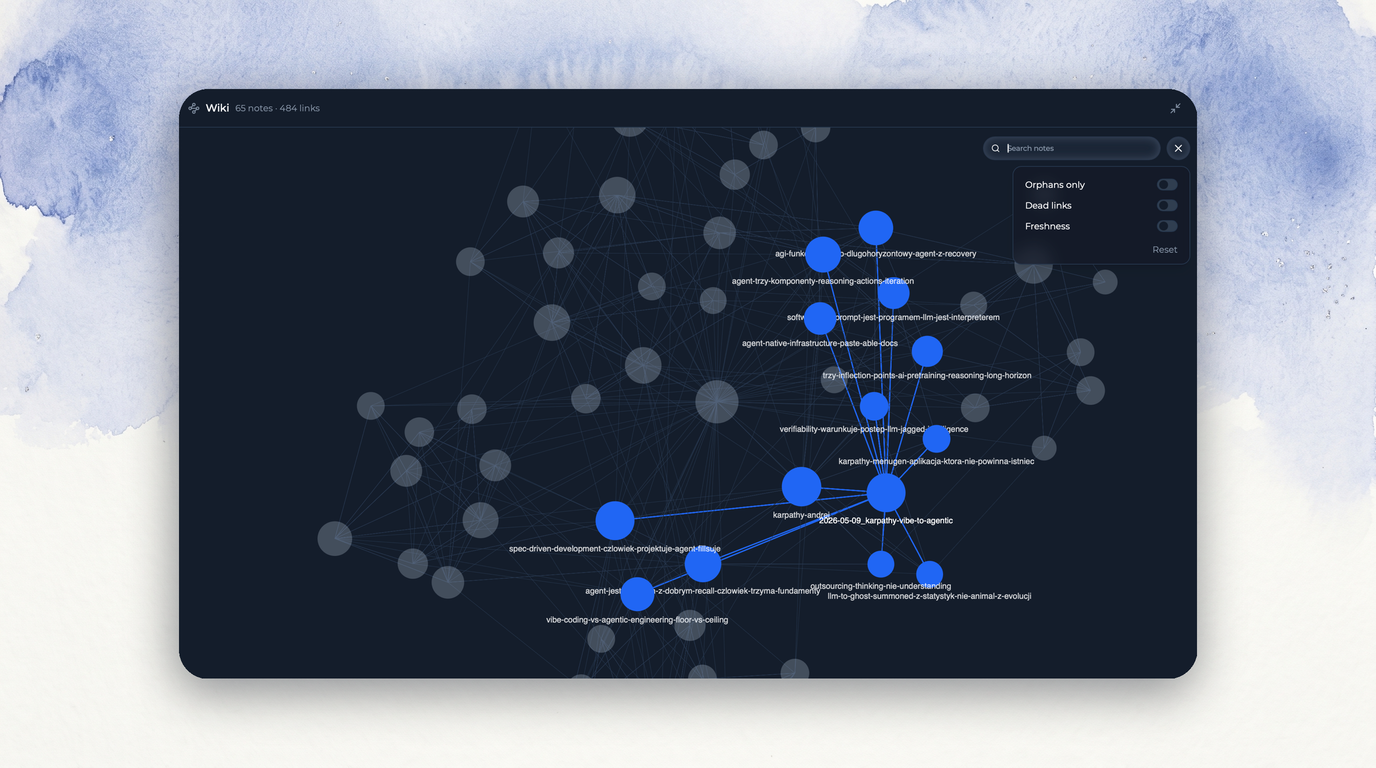
Search - type a phrase, the graph highlights matching notes, and Enter jumps the camera from one to the next.
-
Fullscreen mode - the graph fills the window in one click.
-
Filters - three lenses that show the state of your knowledge (described below).
-
Copy paths - right-click to copy a note’s path along with its neighbors and paste it straight into the Local Agent.
Three filters that turn the graph into a tool
Click the filters icon and you’ll find three lenses:
-
Orphans only - leaves just the notes with no connections at all. Your to-tidy list.
-
Dead links - shows broken links as red dots: a link that points to a file that no longer exists. That’s how you catch “link rot” before it spreads.
-
Freshness - brightens recent notes, dims old ones. One glance tells you what’s alive and what’s lying fallow.
Why do I even need this graph?
Because it’s physical proof that you’re building a Second Brain in Voicie.
The whole idea of Voicie is three steps: capture, organize, use the context. Capture we’ve had for a long time - you speak, you get text in seconds. Organizing happened quietly so far, in files and links. The graph is the first moment that third step gets a face: you see your knowledge as a map, not as a list of files sorted by date.
Everyone has access to intelligence itself today. What really sets one AI apart from another is context. And context is exactly what makes your AI powerful - and Voicie gives you a tool to see that context and build it deliberately.
This is context engineering - the discipline that in 2026 is replacing plain “prompt-poking”. It’s no longer about how you ask the model, but what knowledge you give it. The graph is the map of that knowledge, and the AI agent is the one that arranges it for you.
The rest of Voicie Desktop 1.6.5
The graph is the star of this release, but it’s not the only new thing. The rest of 1.6.5 makes sure that network holds together and that you move through it faster.
Links that don’t break
Rename a file or move it somewhere else? Voicie takes care of fixing the links itself - both the ones in other notes and the ones inside the file you’re moving. Your graph doesn’t fall apart the first time you reorganize folders.
File search
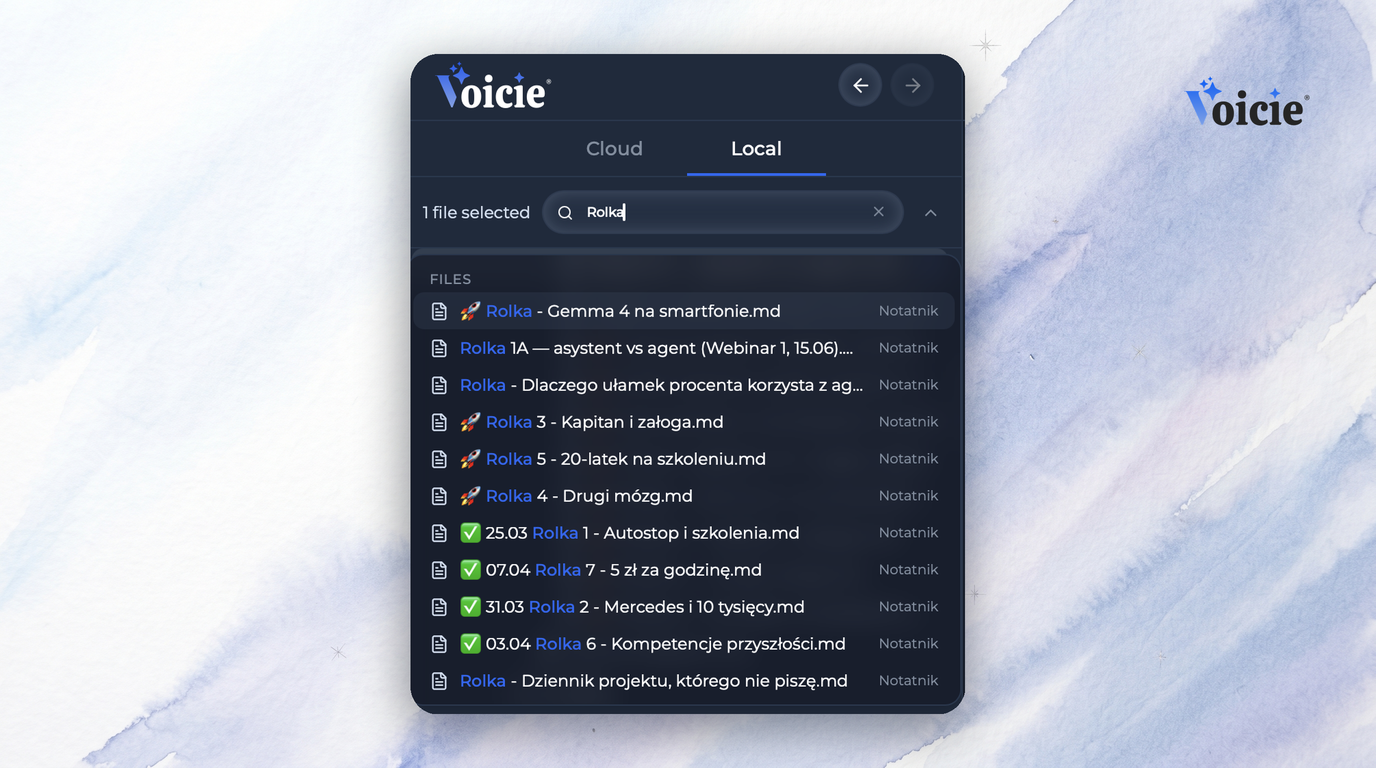
In the Local section you now have a field that searches file names across all your folders at once. Type part of a name, pick a result, and Voicie opens the file and expands the folder tree right to it. No more clicking through directory after directory to find a single note.
HTML preview
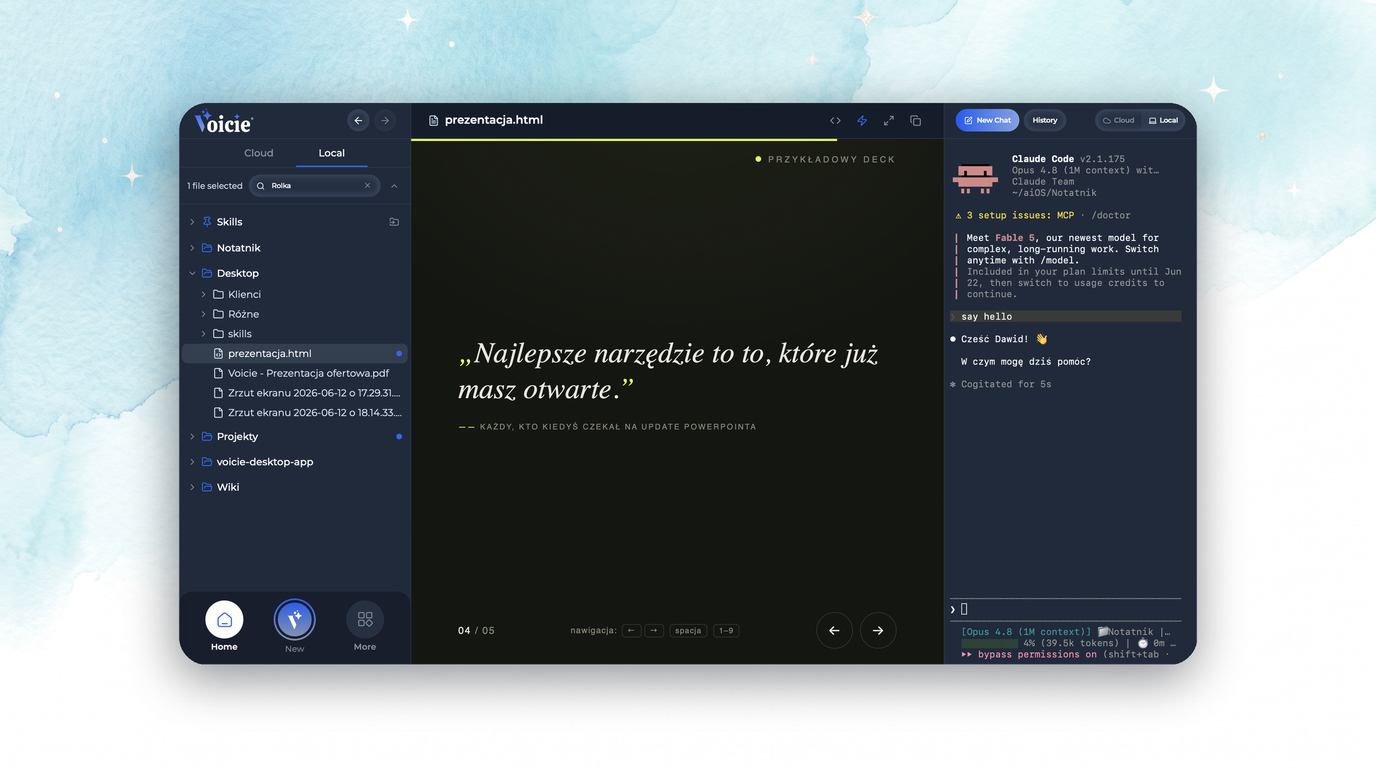
.html files open as code, but the eye icon in the header switches them to a rendered preview - a page, report or presentation shows up the way it’s meant to look, without leaving Voicie. Scripts are off by default; if a document needs them (say, a slide presentation), you enable them deliberately for that file, in safe isolation.
What’s next
The graph is a beginning, not an end. We’re building Voicie toward a context base that both you and the agent navigate by connections, not by folders. The more context you put in, the smarter your Second Brain gets.
How to update
Already have Voicie? Hover over the “Voicie” label in the top-left corner and click “Check for updates” - 1.6.5 downloads itself.
Just starting? Download Voicie for Mac or Windows, and check the plans and pricing here.