Claude Code in Voicie: an AI agent on your files, in a graphical layer over the terminal
Claude Code is an agent that carries out tasks on your files. In Voicie you run it like an ordinary conversation - no black window, not a single command typed.
Claude Code is one of the best ecosystems for working with AI agents on the market. An agent is a program that doesn’t just answer questions, it carries out tasks on your files. Until now it lived in the terminal (the black window where you type commands). In Voicie you run it like a normal chat: you write what it should do, and it does it. The terminal still works underneath, but you don’t have to see it or type anything into it.
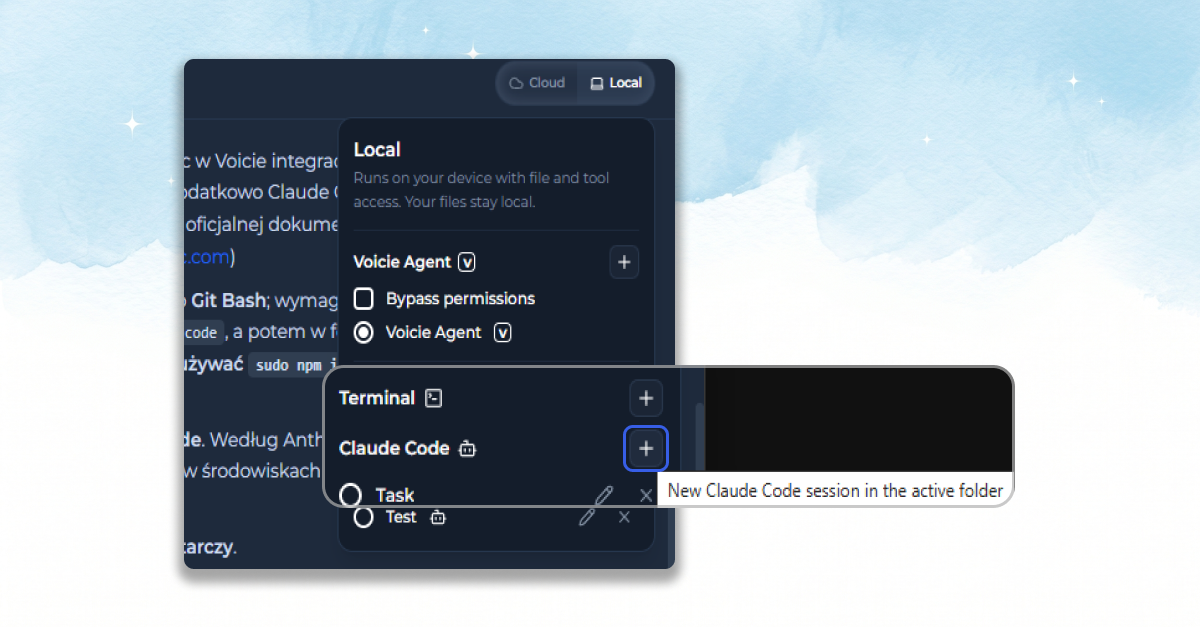
Already on Voicie? Open the app, go to the “Local” panel and click “New Claude Code session”. If you can’t see that section, enable the terminal in Settings (Settings → Local AI → Advanced). Not yet? Download Voicie for macOS or Windows.
What an AI agent is (and how it differs from an AI assistant)
An AI assistant answers questions. An AI agent carries out tasks. That’s the whole difference.
When you talk to a tool like ChatGPT, you get an answer and then do the rest yourself: copy, paste, fix the files. Other AI assistants stop right there. An agent goes further. It opens your documents, makes the changes, creates new files and shows you the finished result. You say what needs to exist. It puts it together.
Claude Code is exactly that kind of agent, from Anthropic (the company behind the Claude models). Voicie doesn’t build its own “smarter” AI. It takes the best available agent and gives it a place to work: your files and your knowledge base. You pay for the model on your own Claude account: Voicie signs in to your subscription through the terminal, exactly as you would yourself. There’s no API key to type in here.
What can you actually do with it?
An example says it best. In a project folder you have transcripts from two meetings, a client brief and your own notes. You write one sentence in the chat: “based on the files in this folder, summarize what was agreed and list the tasks with deadlines”. The agent opens those files one by one, pulls out the decisions and saves a finished document in the same folder. You pasted nothing into the chat and typed not a single command.
A few other things people hand over in exactly the same way, without code:
- “Tidy up this folder of documents and give the files names that tell me what’s inside.”
- “Turn these three notes into one coherent client brief.”
- “Find everything about project X in my files and summarize it in bullet points.”
See the pattern? You give the context and make the calls. The agent does the work.
Why is this easier in Voicie than in the terminal?
The terminal is intimidating. A black window where everything is typed on the keyboard, no buttons, and the answer arrives as a wall of text. For a non-technical person that can be a wall too high to climb.
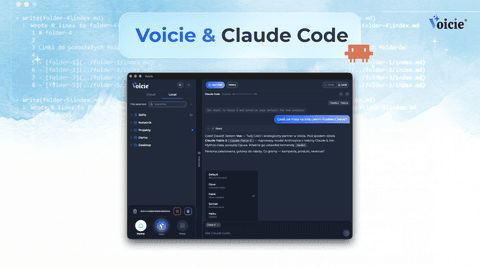
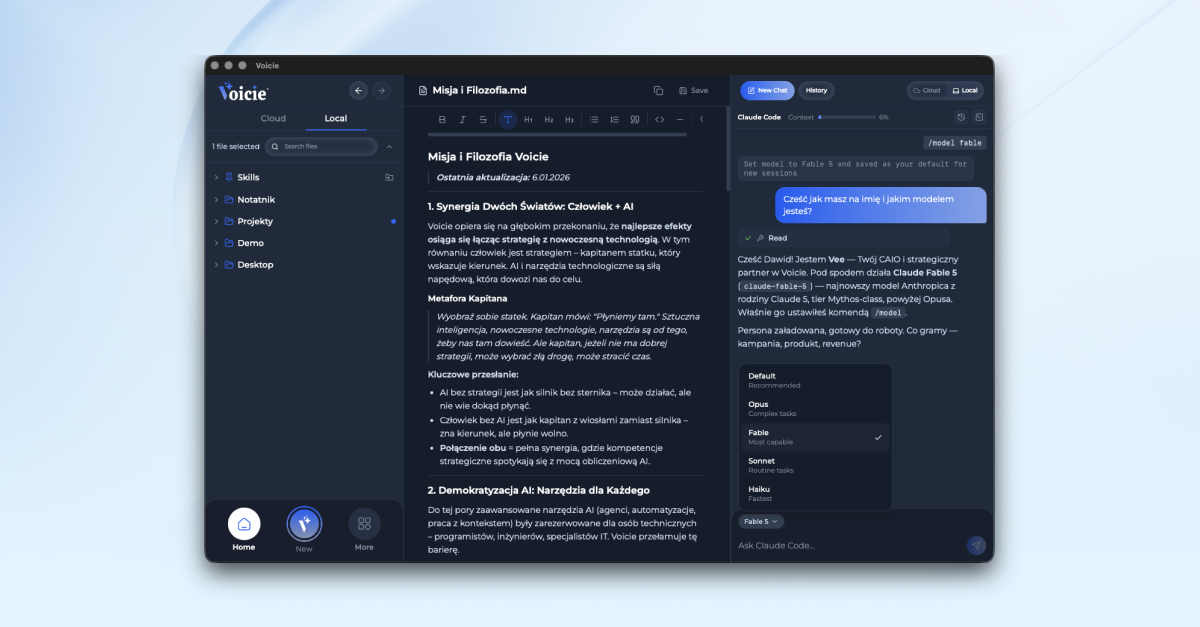
Voicie puts an ordinary chat over that window (in English this is called a Claude Code GUI, a graphical interface). You write normally, the way you’d write to a person. It’s the same format as talking to the Local Agent in Voicie. If you’ve ever looked for a way to use Claude Code without fighting the console, this is it.
To be honest: the terminal doesn’t disappear. Voicie is a layer over the terminal, so that black command window still runs underneath - you just don’t see it. It surfaces in a few rare moments: the first time you grant access to a folder, or when signing in to your Claude account. You look in there with one click only when you need to, and go back to the chat.
Claude Code in Voicie - what you see on screen
Instead of a wall of text you get a readable view of the conversation:
- Your messages and the agent’s replies in separate bubbles, like a messenger.
- A live view of what the agent is doing right now, step by step, instead of one big block.
- Clickable files in the replies: click a name and you see the contents straight away in Voicie.
- Pasting screenshots directly into the chat, when showing beats describing.
- A “Stop” button that interrupts the agent’s work at any moment.
When a task is bigger, Claude Code can split it between several helpers (subagents). A bar then appears above the input field describing what each of those AI agents is working on right now - in a plain sentence, not a technical name, something like “Looking for trends in social media”. So you know something is happening and what the agent is on.
Who this is for (not just developers)
The name is misleading. “Code” sounds like something for developers, but the agent handles documents, notes and material from your knowledge base just as well. Anyone with a lot of files and little time benefits: a marketer, a business owner, someone running projects.
Our edge isn’t a “smarter model”, it’s context: what you’ve gathered in Voicie, and the fact that the agent works directly on it rather than in a chat window detached from it.
How to get started
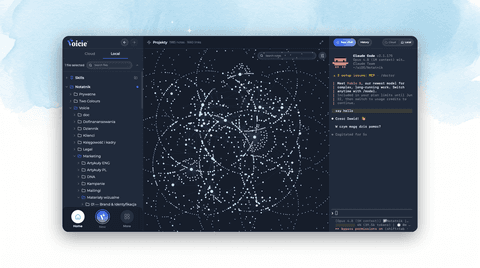
There are two ways in: “New Claude Code session” in the “Local” panel, or on the Canvas. The first time you run it in a new folder, Voicie will ask for permission to access the files. You click, and the chat unlocks.
Before you sit down, check a few things:
- It’s a paid feature - the full version of Voicie is required.
- It runs as a desktop app (a Claude Code desktop app) on macOS and Windows.
- You need the terminal enabled: Settings → Local AI → Advanced. Without it the entry point to Claude Code won’t appear.
- You need your own Claude Code subscription. Voicie runs the conversation in a readable form, but the model and the billing stay on your Claude account. There’s no separate “Claude Code desktop download” from Voicie - you install Claude Code yourself, and Voicie launches it from your subscription.
- The top bar shows you live what it costs and how much room is left in the conversation.
The terminal vs Claude Code in Voicie (in short)
| What you do | Plain terminal | Claude Code in Voicie |
|---|---|---|
| Read the conversation | a wall of text in a window | separate message bubbles |
| See what the agent is doing | hard to catch | step by step, as it happens |
| Open a file from a reply | you have to find it yourself | click the name, preview in Voicie |
| Something fails | easy to miss | a message, and your text returns to the field |
| Show the agent a screenshot | you have to save a file | paste it straight into the chat |
FAQ
What is an AI agent and how does it differ from an AI assistant?
An AI agent carries out the task itself: opens files, makes changes, hands back the result. An AI assistant usually stops at answering a question. Claude Code is an agent, which is why in Voicie it doesn’t end at conversation - you genuinely hand it work on your files.
Do I need to know how to code, or to build an AI agent?
No. Claude Code is ready to go, you don’t have to build it or work out how to create an AI agent from scratch. You write in the chat what it should do.
Do I need my own Claude Code subscription?
Yes. Voicie runs the conversation, but the model and the billing are your Claude account. You sign in to your subscription through the terminal, the same as with plain Claude Code. There’s no API key to type in here.
Is there a separate “Claude Code desktop download” in Voicie?
No. You install Claude Code yourself, and Voicie launches it in graphical form as a desktop app on macOS and Windows.
Do I have to touch the terminal?
Day to day, no, although the terminal runs underneath - Voicie is its graphical layer. You talk in the chat, and you only step into the terminal itself with one click on a couple of screens (folder access, signing in). It does, however, have to be enabled in the settings (Settings → Local AI → Advanced), because the whole feature stands on it.
To wrap up
Claude Code in Voicie is a simple idea with a big effect: we take one of the best agents on the market and sit it where your files are - in a chat instead of a raw terminal. You stay the captain, the agent is the engine.
Want to see many agents and files laid out on one board? Read the piece on Canvas in Voicie. And if you’re just starting out, download Voicie!