Voicie 2.0 is here: what's new, what you can do with it and how to get started
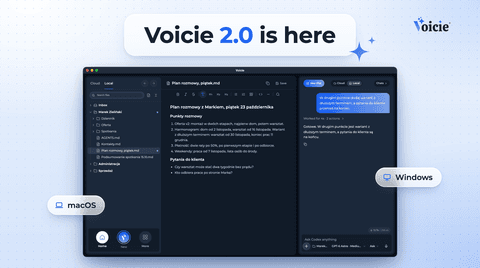
Voicie 2.0 is out for Mac and Windows. A new look, an AI agent that works with your ChatGPT account, and work on your own files and knowledge base. See what's new, the system requirements and how to get started.
Voicie 2.0 is out for Mac and Windows. It’s the app where you collect your context: meeting recordings, notes, documents and files. An AI agent works on that context with you, and you see every step it takes. In this release we rebuilt almost everything, from the look of the app to the way you connect to the agent.
Already using Voicie? Open the app and it will offer the update to 2.0 on its own.
What’s new in Voicie 2.0
The agent you already have
In 2.0 you work with an AI agent that uses your ChatGPT account. You install it with one click, sign in straight from the chat panel, and you don’t need any API keys. From this version, signing in with ChatGPT works on both Mac and Windows.
The agent in Voicie reads your files, creates new documents and saves notes to your knowledge base. Your conversations with it are stored on your computer.
Context in the middle, chat on the side
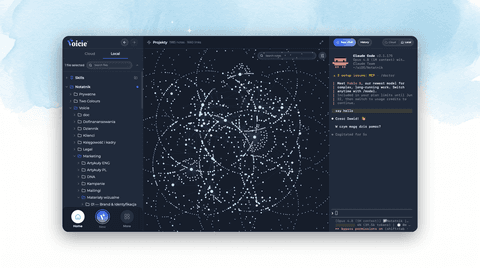
In many AI apps the chat window is the most important thing on screen. In Voicie, your notes, recordings and files sit in the middle and the chat stays on the side. You can see which files the agent reads, what it creates and what it changes. If something looks off, you fix it right away instead of handing everything over blindly.
A new look
We redesigned the chat, settings, sign-in and home screen. The home screen now has a desktop with shortcuts to the notes and files you use most. You can pick from three themes: Midnight, Graphite and Light.
Smoother work with the agent
- Paste screenshots and files straight into the conversation.
- While the agent is still working, you can type your next message right away. It waits in the queue.
- Run several conversations at once, each in a different folder, and see where each one stands.
What you can do in Voicie
| You want to… | How you do it in Voicie |
|---|---|
| Type with your voice in any app | Press ⌘ . on Mac or Ctrl + . on Windows, speak, and press the shortcut again. The text is pasted wherever your cursor is. |
| Record an online meeting | Voicie records your microphone and your computer’s audio. The recording, with a transcript, lands in your knowledge base. |
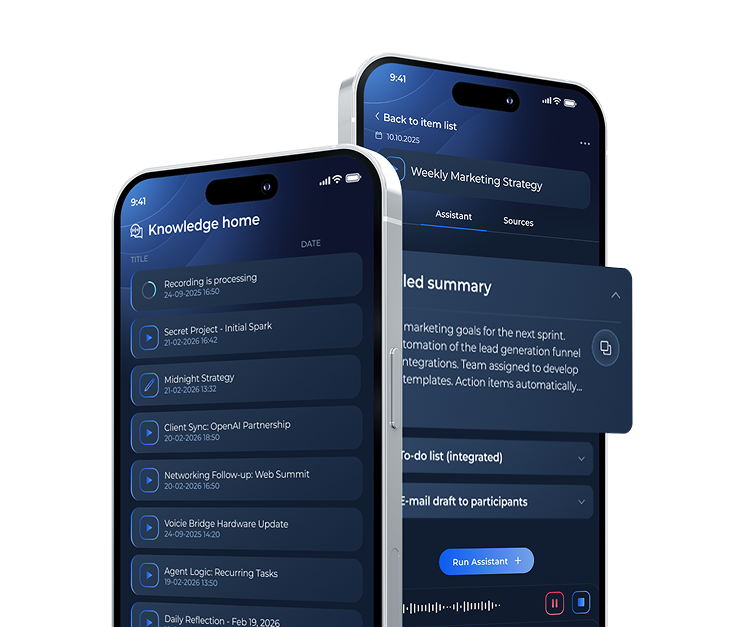
| Keep your material in one place | The New button takes recordings, audio files, photos, PDFs, web pages, YouTube videos and text. The cloud knowledge base is the same on your computer and your phone. |
| Hand work over to the agent | The agent works on your folders and files: it reads, organizes and creates new documents. |
| Teach the agent how you work | In an AGENTS.md file you describe who you are and how the agent should work. Skills are saved procedures you call by typing / in the chat. |
| Work with several agents at once | On the Canvas board you place files, notes and agents side by side (full version). |
| Use Claude Code or Gemini | You run them in the terminal built into the app (full version). |
Why Voicie
You already have ChatGPT or another agent? Good. Voicie doesn’t replace your model. It gives it the one thing it doesn’t have on its own: your context.
Context matters more than the model. Think of a car. The model is the engine, context is the fuel. You can swap the engine, but the fuel stays yours. Every recorded meeting, every idea dictated on the go and every finished document is another building block for you, your team and your agents.
Material lands in Voicie before you open the chat. You record a note on your phone, drop in a link to a video or a PDF, and when you sit down at your computer it’s all waiting in your knowledge base, next to your folders and files.
An agent without context starts from zero. Every new chat is a blank page for it. With a well-organized knowledge base, the agent first checks what you already know and what you’ve agreed on, and only then gets to work. The result is much closer to what you expect.
You’re in the driver’s seat. You give the agent context and your experience, point it in the right direction and check the result. The better you organize your context, the more work you can hand over.
Voicie is home for your context and your agents.
How to get started: step by step
- Download the app. Go to the download page, enter your name and email, and you’ll get a link to the Mac or Windows version.
- Install it. On Windows you may see a system warning during installation. If so, click “More info” and then “Run anyway”.
- Create an account. In the app you enter your email and confirm it with a six-digit code sent to your inbox.
- Go through the short setup. You choose your language, point to the folders you want to work with and download the speech model. It’s a few hundred megabytes, and thanks to it dictation works even without internet.
- Connect the agent. In the chat panel you install the agent with one click, then sign in to your ChatGPT account in the browser.
- Run a quick test. Press ⌘ . (Ctrl + . on Windows), say one sentence and press the shortcut again. Did the text appear? You’re all set.
System requirements
| Where | What you need |
|---|---|
| Mac | macOS 14 Sonoma or later, Apple or Intel processor (most Macs from 2018 onwards) |
| Windows | Windows 10 or 11, 64-bit (the Windows version is still in beta) |
| Phone | The app for iOS and Android: App Store and Google Play |
| Accounts | A Voicie account, which you create on first launch, and a ChatGPT account to work with the agent |
| Language | The app interface is in English. You can dictate in English, Polish and many other languages |
Frequently asked questions
How much does Voicie cost?
You can download Voicie for free, with limits: no Canvas or terminal, and one AI model for the agent. You’ll find the full version and current prices on the pricing page.
Do I need a ChatGPT account?
To work with the agent, yes. The agent uses your ChatGPT account, so you don’t need API keys. Dictation, meeting recording and the knowledge base work without it.
Can I work with Claude or Gemini?
Yes. You run Claude Code and Gemini in the terminal built into Voicie, in the full version of the app. For Claude Code you need a paid Claude account or an Anthropic API key.
I already use Voicie. What happens to my data?
Your cloud knowledge base and your folders stay where they were. After the update you work on them in the new app.
Where can I learn how to use Voicie?
On our community at community.voicie.com. The video course for Voicie 2.0 is in Polish for now: 14 short lessons, from installation to working with several agents on Canvas.
One more thing
Voicie 2.0 is the place where your context grows with every recording, note and document, and the agent you already have finally has something to work with. Download the app, record your first note and ask the agent for something you usually do yourself. If you want to see how to work with several agents at once, read about Canvas in Voicie.
Related posts
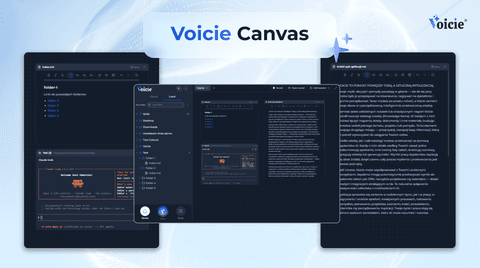
Canvas in Voicie: one board where you work with multiple AI agents and your own files
Product Announcements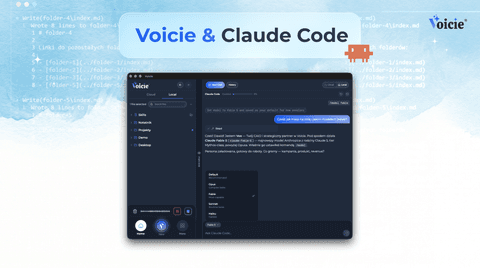
Claude Code in Voicie: an AI agent on your files, in a graphical layer over the terminal
Product Announcements