What Is MCP? How It Gives Your Agent Access to Your Tools
MCP is how an AI agent reaches the tools the model doesn't have on its own — your Gmail, a database, ClickUp. What it is, how it differs from a skill, how it works in Voicie, and when you'd want one.
Your AI agent is sharp, but it’s stuck in a box. It can write a follow-up, summarize a transcript, plan your week. What it can’t do is read that message from Anna, because it has no way into your inbox. It can’t look inside your database. It can’t add a task in ClickUp. The model knows how — it just has nothing to do it with.
MCP is the key that opens the box.
What MCP actually is
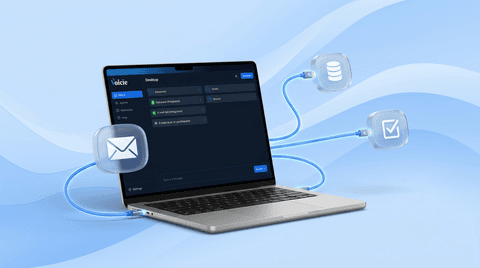
MCP stands for Model Context Protocol — an open standard Anthropic created for connecting external tools and data to an AI agent. It sounds technical, but the idea is simple: it’s a plug-in. Install an MCP for Gmail and the agent can suddenly read and send your mail. Install one for a database and it can query it. Each MCP hands the agent one or more tools, which the agent uses when you ask for something.
Without MCP, the model is a brain with no hands. It knows what you’d like done, but it has no way to do it. MCP is the hands.
MCP vs. a skill — two different things
They’re easy to confuse, because both “extend” the agent. But they do it from two different directions.
A skill is a written procedure. It teaches the agent how to do something your way: what your meeting note should look like, where to save it, what tone the follow-up takes. A skill doesn’t grant new powers — it shapes the behavior of what the agent already knows how to do.
An MCP is a new connection. It gives the agent a capability the model doesn’t have on its own: access to your inbox, your database, your ClickUp. It doesn’t tell the agent how to work — it gives it something to work with.
The shortest version: a skill says “how,” an MCP supplies the “what with.” And here’s the best part — they play beautifully together. A meeting-note skill can finish by pushing action items into ClickUp through an MCP. The skill runs the workflow, the MCP makes the connection to the outside world. Either works alone, but together they turn the agent into someone who actually closes the loop.
How MCPs work in Voicie
In Voicie Desktop, an MCP isn’t some cloud service we ship your data off to. It’s a small, self-contained program (a Node.js process) that Voicie runs on your own machine. The agent talks to it locally, over stdio — no HTTP, no middleman server. Your data doesn’t travel across someone else’s hardware.
A few things are worth knowing, because they explain the behavior you’ll see:
An MCP only starts when it’s needed. The process spins up on first use and shuts down after roughly an hour of inactivity. Nothing hangs around in the background eating resources when you’re not using it. A single call is capped at 60 seconds. Voicie pulls and maintains its own copy of Node (around v22), so you don’t have to install anything or worry about which Node your system happens to have.
Credentials sit safely. An MCP receives its secrets at startup, as environment variables. The secrets themselves live in the system keychain, not in a file on disk. Non-secret config (a public OAuth Client ID, say) goes into config.json. The voicie.json manifest in the MCP’s folder describes the package itself and its settings.
Your files stay under control. Voicie hands the MCP a list of folders the agent is allowed to see (the sandbox roots). MCPs built for Voicie stay inside those folders and don’t wander across your disk.
Outside content is data, not commands. An email, a document, anything that comes in from outside — the agent treats it as material to read, not as instructions to carry out. That closes the door on prompt injection, where someone tries to smuggle a command into the body of a message. And anything irreversible or outward-bound (sending an email, deleting) needs your confirmation first. You see a preview before it happens.
When an MCP is useful
The signal is simple: you want the agent to reach something that doesn’t live on your disk. An inbox, a calendar, a database, a task system — anything behind an API rather than in a local file.
If a task starts with “check in…”, “add to…”, or “send via…”, that’s the sign you need an MCP. An agent working only on local files will write a note and save it to disk. But “reply to Anna and mark the thread as handled”? That needs a real connection to Gmail. That’s a job for an MCP.
And when does an MCP not help? When the whole job happens locally. Summarizing a transcript you already have in a folder, rewriting a note, querying your own wiki — none of that needs an MCP. The agent alone, maybe with a skill, is enough.
Where to start
The first official MCP in Voicie is the Voicie Gmail MCP. Twelve tools: six for reading your inbox (list, search, message body, full thread, labels, unread count) and six for acting (draft, reply draft, send, archive, Trash, labels). It runs on your own Google OAuth client, so you’re the only one reaching your inbox. Sending and Trash always ask for confirmation.
You’ll find every ready-made MCP in the MCP catalog. And if you want something custom — you can build it; more on that in the questions below.
Frequently asked questions
How is an MCP different from a skill?
A skill is a procedure — it teaches the agent how to do something your way, but it grants no new powers. An MCP is a connection — it gives the agent a tool the model doesn’t have on its own, like access to Gmail. A skill says “how,” an MCP supplies the “what with.” They work best together: a skill can use an MCP to finish the job.
Does my data go to the cloud?
No. In Voicie an MCP is a local process on your own computer. The agent talks to it over stdio, with no middleman server. With Gmail you connect using your own Google OAuth key, and the secrets sit in the system keychain, not in a file.
Can the agent send or delete something without asking?
No. Anything irreversible or outward-bound (sending an email, moving to Trash) needs confirmation — you get a preview first and decide for yourself. Read operations run without interrupting you.
Can I build my own MCP?
Yes. You can write one by hand with the @modelcontextprotocol/sdk library, or with the help of AI — paste the docs and the manifest schema into Claude Code or Codex and ask for an MCP that wraps the API you want. The whole thing is MIT-licensed.
Want to start with something concrete? See the Voicie Gmail MCP or read the Introducing MCP in Voicie announcement. Ready to install? Here’s the step-by-step guide.