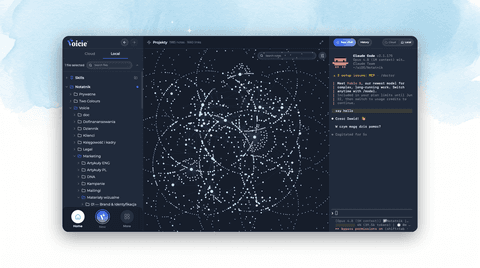
Introducing Skills in Voicie
The Voicie desktop agent can now run skills — reusable procedures that teach it to do real work your way. Here's the new feature, how it works in the app, and the free starter library to go with it.
The local agent in Voicie Desktop can now run skills.
A skill is a written procedure that teaches the agent how to do one specific job your way: recap a client meeting, draft a follow-up, query your own notes, walk you through a project setup. You install it once, and from then on the agent runs that task the same way every time, on your local files. No code — a skill is a plain SKILL.md file you can read and edit.
This is a new capability in the app itself, not just a page on our website. Below is what landed, how to use it, and where to get your first skills.
What’s new in the app
Skills are built into the local agent and the desktop UI:
- A Skills section in the sidebar. Your installed skills sit pinned in the left sidebar, visible whether you’re on the Cloud or Local tab. Each valid skill shows its name and description; anything malformed gets a clear warning instead of failing silently.
- Trigger by
/slashor let the agent decide. Type/in the chat composer and a picker shows your matching skills — insert one inline and keep typing context before you send. Or just describe the task: because each skill’s description spells out its triggers, the agent can reach for the right one on its own. - Edit skills without leaving Voicie. Click a skill to expand its files and open
SKILL.mdin the built-in editor. The valid/invalid badge updates in real time as you save, and a live file watcher keeps the list in sync whether you edit in Voicie, in Finder, or have the agent edit it for you. - Make a skill by talking to the agent. Voicie ships with a built-in
skill-creator. Run/skill-creator, answer a couple of questions about what you want, and the agent writes a correct skill file for you. It’s the fastest way to your first skill, no frontmatter by hand. - Skills can use your integrations. A skill can declare a required MCP (like ClickUp or Gmail); Voicie checks it’s connected before running and tells you what’s missing if it isn’t.
- macOS and Windows, both. The startup scan, in-app editor, file tools, validation, and live watcher all work the same on each.
Under the hood it stays safe: a skill shapes how a task gets done — workflow, format, tone — but it can’t slip past permission prompts. File writes and sends still hit the usual gates, with a preview before anything changes.
A starter library so you don’t begin from scratch
To go with the feature, we’re opening a free, open skill library. Copy a skill, drop it in, and you’ve got a working starting point instead of a blank file. The first release covers three areas:
- Sales — five skills for a salesperson living between meetings: a local CRM, meeting recap, pre-meeting brief, follow-up email, and offer generation. Your data on your disk, offline-first.
- Second Brain — two skills that build a linked knowledge base from what you read, watch, and hear. One turns material into atomic notes, the other answers questions strictly from those notes, with citations.
- Work & Meetings — a team-meeting recap that turns a transcript into a note with decisions and action items, and can push tasks through an integration.
Every skill is open. Read the SKILL.md, change what doesn’t fit your folders or your tone, make it yours. They’re starting points, not locked products. More categories — journaling, brand-voice writing — are on the way. You can also browse the source in the voicie-skills GitHub repository.
How to get started
- Update to the latest Voicie Desktop (Mac or Windows).
- Pick a skill from the library, or run
/skill-creatorto write your own. - Follow the step-by-step install guide — it takes under a minute.
- Open a new chat and trigger your skill by name, or just ask.
New to the idea? Start with what AI skills are and how they work, then grab your first one from the library.
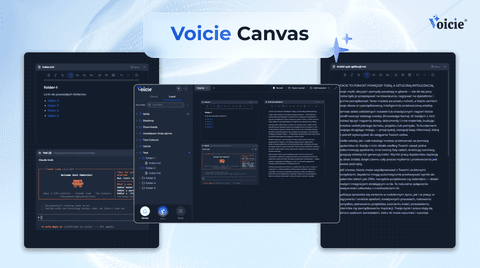
Canvas in Voicie: one board where you work with multiple AI agents and your own files
Product Announcements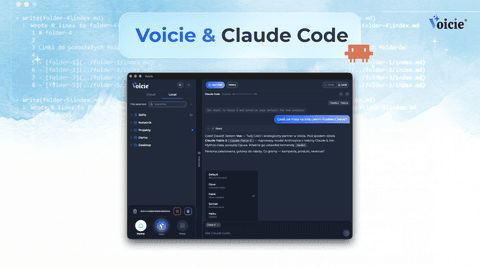
Claude Code in Voicie: an AI agent on your files, in a graphical layer over the terminal
Product Announcements