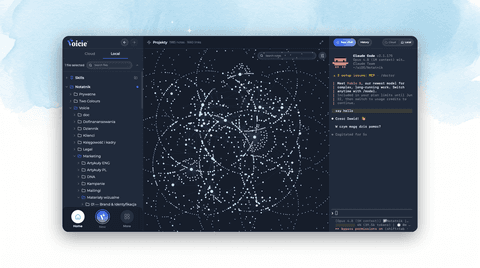
Voicie Desktop 1.6: Now on Mac and Windows, with a Local Agent That Sees, Searches, and Connects
Voicie 1.6 brings the desktop app to Windows and turns the Local Agent into a real assistant: it reads your images and PDFs, searches your knowledge base and the web, connects to Gmail and ClickUp, runs skills, and writes in a smarter Markdown editor.
Voicie 1.6 is our biggest release yet. The headline is simple: Voicie now runs on Mac and Windows, and the Local Agent became a real assistant — one that can see your images, read your PDFs, search your notes and the web, connect to the tools you already use, and work on your files inside a smarter editor.
Already on Voicie? Open the app and it’ll offer the update. New here? Download it for Mac or Windows.
Now on Mac and Windows
For most of its life the desktop app was Mac-only. Not anymore — Voicie now runs on macOS and Windows 11 from one shared codebase, so mixed teams finally get a single tool everyone can use.
The Mac build is fully signed and notarized. The Windows build is in beta for now — it isn’t code-signed yet, so Windows will show a “Run anyway” prompt during install. Signing is on the way. Everything that matters works the same on both: system audio recording, auto-paste, file previews, the Local Agent, integrations, and skills.
A Local Agent that can see and read
The Local Agent is the AI that works directly on your files — your workspace, on your disk, not uploaded anywhere. In 1.6 it picked up a set of genuinely new abilities.
It actually works on your files. This is the heart of it: the agent doesn’t just read, it does the work. It creates new files, edits the ones you have, searches across your folders to find what you mean, and moves files into place. Ask it to draft a note, rewrite a section, dig out a document, or tidy a folder, and it makes the change on disk.
It can see. Drop in a screenshot, a photo, a diagram — the agent reads images (PNG, JPG, GIF, WEBP) and works with what’s in them. You can paste an image straight into the chat or drag one in from your desktop.
It reads your PDFs. Point it at a PDF and it pulls out the text, with page ranges when you need them. Contracts, briefs, research papers — all fair game.
It knows your knowledge base. The agent can browse and read the Knowledge Items and Sources you’ve built up in Voicie. Ask “what did I record yesterday?” or “summarize my last meeting” and it actually has the material to answer.
It runs on GPT-5.4. Pick your model right in the chat — GPT-5.4 and GPT-5.4-mini for reasoning work, with an effort dial when you want it to think harder.
Bypass mode: work without interruptions. By default the agent asks before sensitive actions. When you want it to run smoothly from start to finish, turn on bypass mode — it skips every permission prompt and just gets on with it: running tools, searching the web, reaching for MCP integrations, and loading skills without waiting for your approval. For tasks you trust and don’t want to click “allow” through at every step.
A smarter Markdown editor
This is the part power users are going to love. The editor stopped being a plain text box.
Write in clean, formatted text. Full visual Markdown — headings, lists, code, and links render as you write, instead of raw markup.
Your notes link to each other. If a document contains the path to another file in your workspace, that path is now clickable — one click jumps you straight there. Your notes stop being a flat pile and start behaving like a connected web, with real relationships between documents.
Metadata, front and center. Files with YAML frontmatter get a dedicated metadata panel, so the tags and fields on a note are visible and editable instead of buried at the top of the file.
MCP: connect the tools you already use
So far the Local Agent worked on your files. MCP opens it up to the rest of your world. MCP (Model Context Protocol) is an open standard for connecting an AI agent to other systems — your email, your task manager, your own automations — so it can act beyond the files on your disk.
We’ve published our first one: the Voicie Gmail MCP, which lets the agent read, draft, and send from your inbox. And because MCP is an open standard, you’re not limited to what we ship — using our documentation on GitHub and a coding agent, you can build and install your own connector for whatever app you use, and the agent gains access to it.
Sensitive actions like sending or deleting always ask first, and your credentials stay in your operating system’s secure store, never in plain text. Browse the available MCPs.
Skills: teach the agent to work your way
The agent can now run skills — reusable procedures that teach it to handle a specific task exactly how you want it. Type / in the chat to trigger one, or just describe what you need and let the agent pick. There’s a built-in helper that writes a new skill for you after a couple of questions, plus a free starter library to copy from.
Skills deserve their own writeup. Start with what AI skills are and how they work, or read the full Skills announcement.
Plus: web search and cleaner recordings
- Web search. The agent can pull current information from the web mid-answer and show you a clickable “Sources” list, so you can check where it came from. (On macOS for now.)
- Better audio. Recording moved to full-band 48 kHz, and long sessions — an hour or more, mic plus system audio in sync — stay smooth from start to save. Ideal for meetings and podcasts.
Get it
Open Voicie and let it update, or download the latest version for Mac or Windows.
Questions or feedback? Reach out — early adopters shape what comes next.
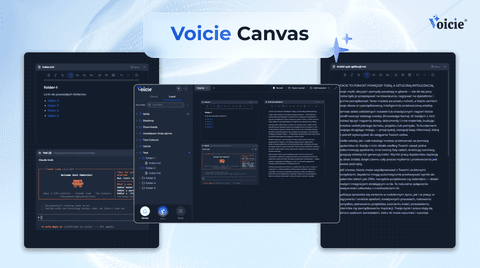
Canvas in Voicie: one board where you work with multiple AI agents and your own files
Product Announcements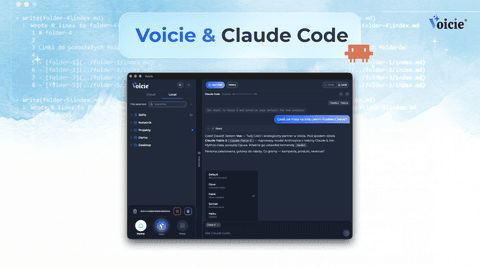
Claude Code in Voicie: an AI agent on your files, in a graphical layer over the terminal
Product Announcements